Verified Excel workbook
Free Construction Job Costing Workbook in Excel for 2026
Download the free Construction Job Costing Workbook in Excel to set up a one-project cost-control ledger. It keeps budgets, commitments, and invoice-based actual costs in separate worksheets while reporting them by cost code. The one project scope suits a focused job review where the team needs to see what is committed, spent, and currently forecast to finish.
User entries feed calculated job cost summary, cost-code detail, commitment status, and forecast exceptions. Enter USD amounts and retain your own supporting records outside the file. The workbook is organized around a cost-code ledger, so consistent codes are important for dependable reporting.
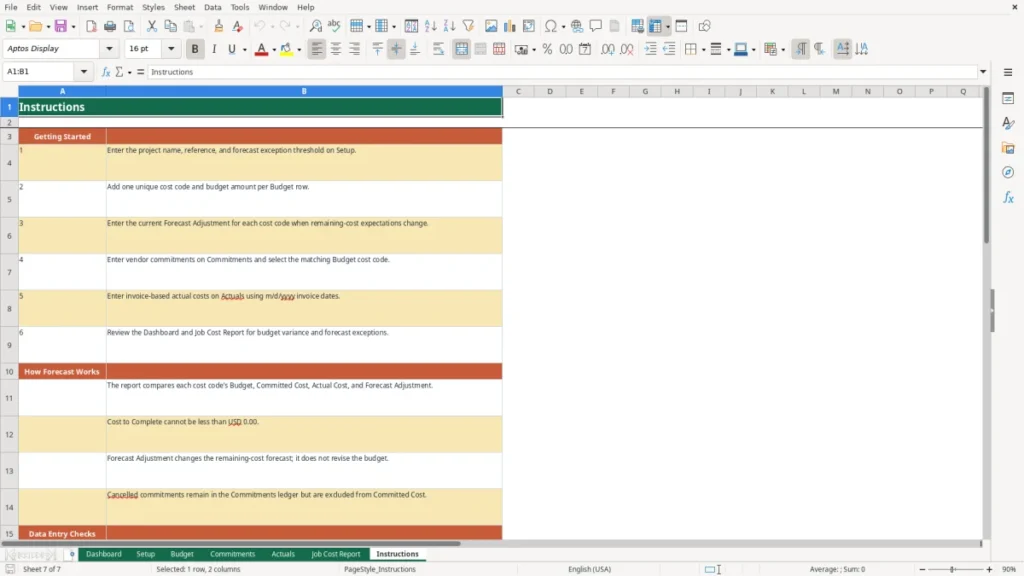
How to use this workbook
Start on Setup
Enter the project name, project reference, and forecast exception threshold in USD. The threshold is a user-defined management setting: a cost code shows Review only when its forecast at completion exceeds budget by more than that amount. It has no legal, accounting, audit, or regulatory meaning.
Build the Budget ledger
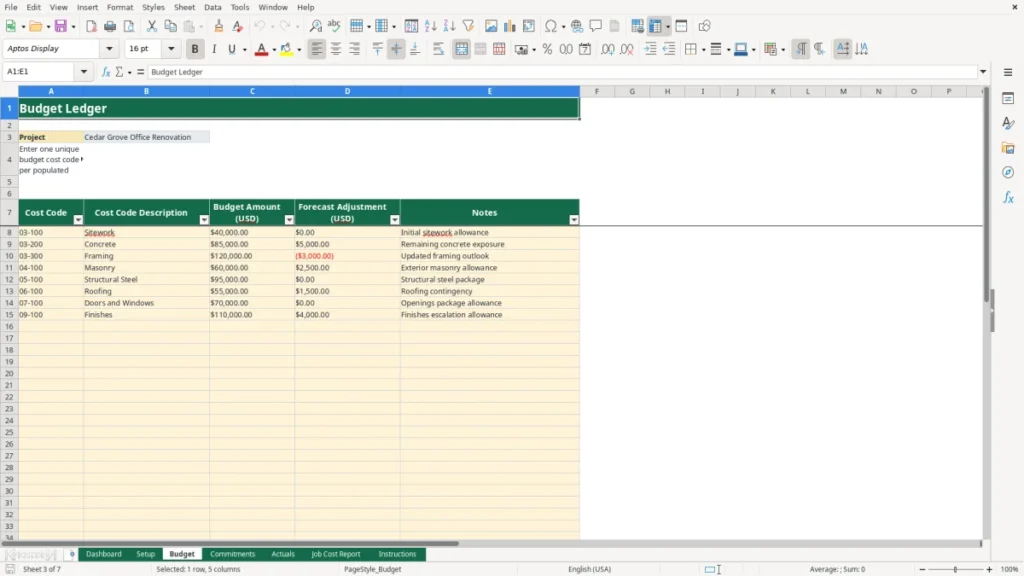
Enter one unique cost code, description, budget amount in USD, forecast adjustment in USD, and notes for each populated Budget row. Budget rows drive the Job Cost Report. A forecast adjustment changes the remaining-cost outlook; it does not revise the entered budget amount.
Record commitments and actual costs
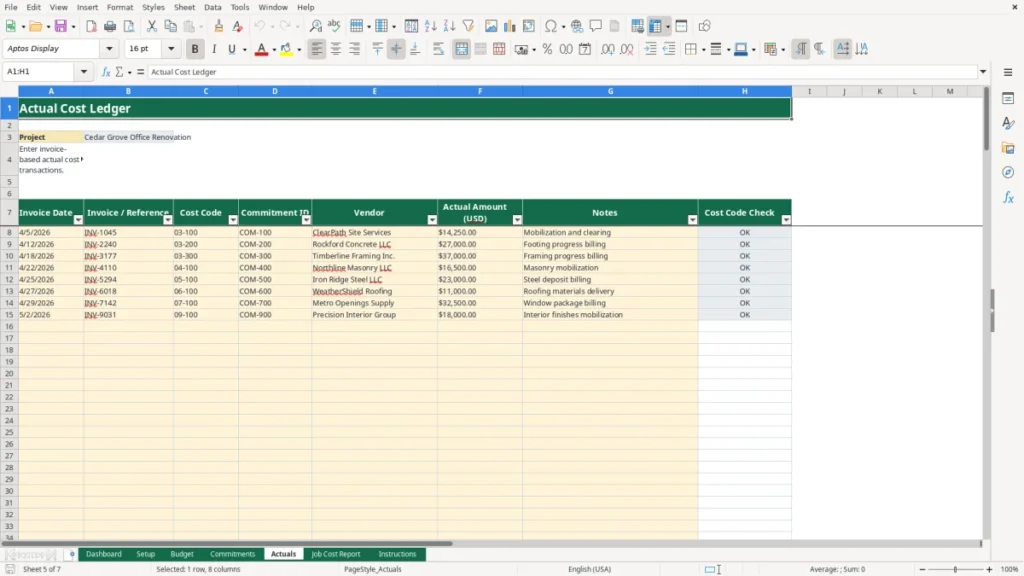
On Commitments, enter the commitment ID, matching cost code, vendor, commitment amount in USD, status, and notes. Use Open, Closed, or Cancelled status. On Actuals, enter invoice date, invoice or reference, cost code, commitment ID, vendor, actual amount in USD, and notes. Enter invoice dates as US m/d/Y dates, such as 4/5/2026; the sheet date format is m/d/yyyy. The commitment ID is a reference field only.
Review the calculated outputs
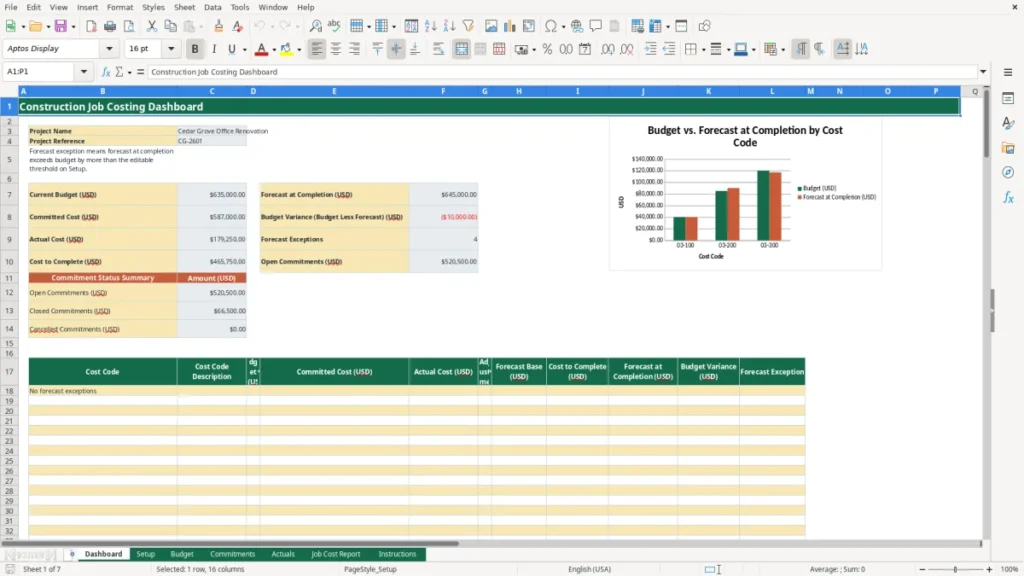
Use Job Cost Report for cost-code detail and Dashboard for project totals, commitment status amounts, forecast exceptions, and missing-budget-code indicators. Review any Missing Budget Code messages in the input ledgers before relying on summary totals.
Benefits
Organizes one project’s cost-code budget, commitments, actual costs, and forecast discussion.
Separates vendor commitments from invoice-based actual transactions for clearer cost review.
Surfaces cost codes where forecast at completion exceeds your selected threshold.
Keeps cancelled commitments visible while excluding them from committed-cost totals.
Features
Seven worksheets: Dashboard, Setup, Budget, Commitments, Actuals, Job Cost Report, and Instructions.
150 prepared operational rows on each Budget, Commitments, Actuals, and report sheet.
Cost-code checks flag commitment and actual rows lacking a Budget code.
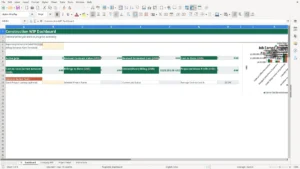
Dashboard summarizes USD totals and lists forecast exceptions by cost code.
Construction job costing by cost code
This construction job costing spreadsheet is structured for one project after award. The Budget sheet holds one budget amount per cost code. Commitments records vendor commitments and status, while Actuals records invoice-based cost transactions. The Job Cost Report pulls those entries into cost-code detail, and the Dashboard summarizes current budget, committed cost, actual cost, cost to complete, forecast at completion, budget variance, open commitments, and forecast exceptions. The Instructions sheet documents the intended workflow and limits.
How the cost forecast is calculated
For each budget cost code, committed cost sums Open and Closed commitment amounts; Cancelled commitments are excluded. Actual cost sums matching Actuals amounts. The forecast base is the greater of Budget or Committed Cost. Cost to Complete is the greater of USD 0.00 or forecast base less actual cost plus forecast adjustment. Forecast at Completion equals actual cost plus cost to complete. Budget variance is Budget less Forecast at Completion. A positive forecast adjustment can increase remaining cost, while a negative adjustment can reduce it without taking cost to complete below USD 0.00.
Entry checks, capacity, and limits
The Budget cost-code entry area checks for duplicates, and Commitments and Actuals use the Budget cost-code range for their list entries. Both input ledgers also display Missing Budget Code when a typed code does not match a Budget code. There are 150 prepared rows on each operational sheet; extending capacity requires extending formulas, validation, report rows, and chart ranges. The workbook does not calculate WIP earned revenue, create invoices, reconcile invoices to commitments, determine fully billed commitments, replace accounting software, calculate tax treatment, produce financial statements, certify profitability, perform quantity takeoff, or convert US customary units.
Frequently asked questions
How many projects can this workbook track?
The workbook tracks one project only. Project name and reference are entered on Setup and displayed in the Dashboard and operational ledgers. For another job, use a separate copy so each project retains its own Budget, Commitments, Actuals, and Job Cost Report entries.
How does the workbook identify a forecast exception?
A cost code is marked Review when Forecast at Completion exceeds its Budget by more than the USD threshold entered on Setup. The threshold is a management calculation, not a determination of profitability or an accounting conclusion. The Dashboard returns the cost-code rows marked Review.
What does Missing Budget Code mean?
It means a commitment or actual-cost row contains a cost code that is not found in the Budget ledger. Add the intended unique budget cost code or correct the input row, then review the related ledger check. Unmatched entries should be resolved before using the calculated summaries for management review.
Does the commitment ID reconcile invoices to purchase orders?
No. Actuals includes Commitment ID as a reference field, but the workbook does not compare invoice amounts with commitment amounts, calculate remaining commitment balances, or determine whether a commitment is fully billed. Maintain that reconciliation process separately if your project controls require it.