Verified Excel workbook
Free 2026 Construction Equipment Maintenance Workbook in Excel
Track equipment service history, meter readings, due dates, overdue reminders, and USD costs in a free Excel workbook for 2026 teams.
Track individually identified construction assets with a connected equipment register, service schedule, and completed-service history. Download the free Excel workbook for a practical starting point to record Asset IDs, current meter readings, service events, providers, notes, and costs in USD.
The workbook uses your entries to calculate next service dates, next meter thresholds, days overdue, overdue flags, and schedule status. Its dates and thresholds are user-configured reminders for planning. They do not replace manufacturer instructions, qualified maintenance, inspections, warranty conditions, or lockout procedures.
Final workbook preview
Four views generated from the verified XLSX.
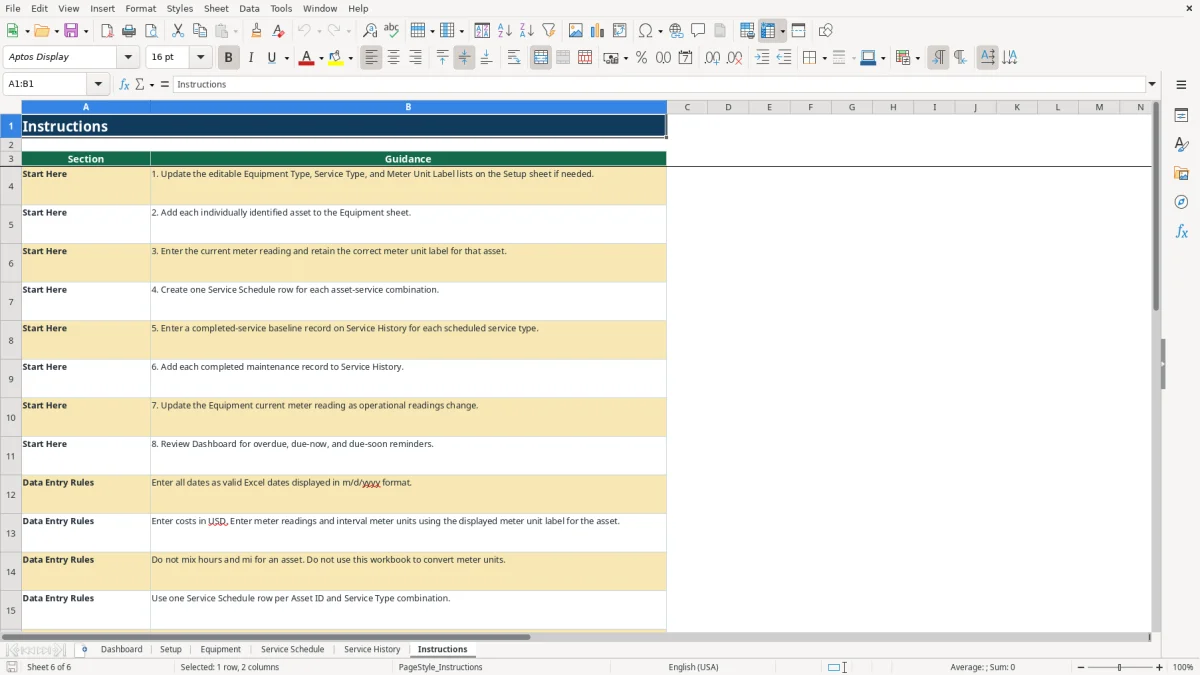
How to use this workbook
Review setup entries
Open Setup first. Review or edit the equipment type, service type, and meter unit label lists. Enter the upcoming service window in days for your internal due-soon reminder. The starting value is 14 days. It is an operating reminder setting, not a manufacturer or regulatory interval.
Register each asset
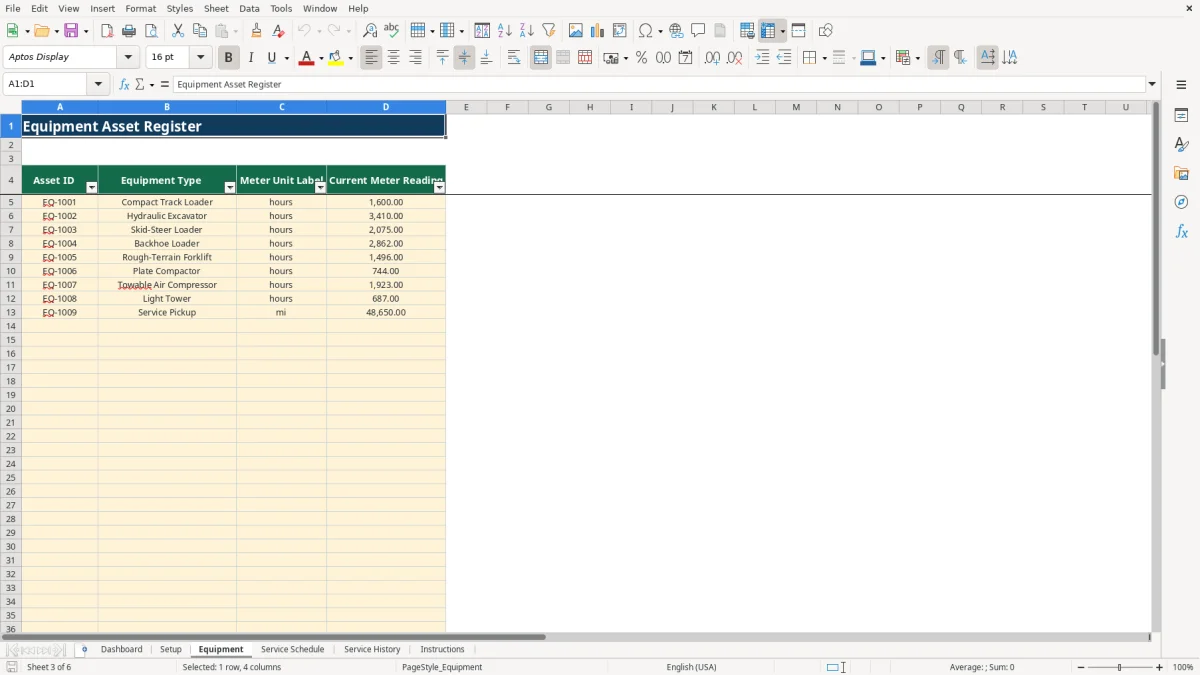
On Equipment, enter an Asset ID, equipment type, meter unit label, and current meter reading. Use the same meter unit label for all readings associated with that asset, such as hours or mi. Do not mix hours and mi for one asset, and do not use this workbook to convert units.
Create service schedule lines
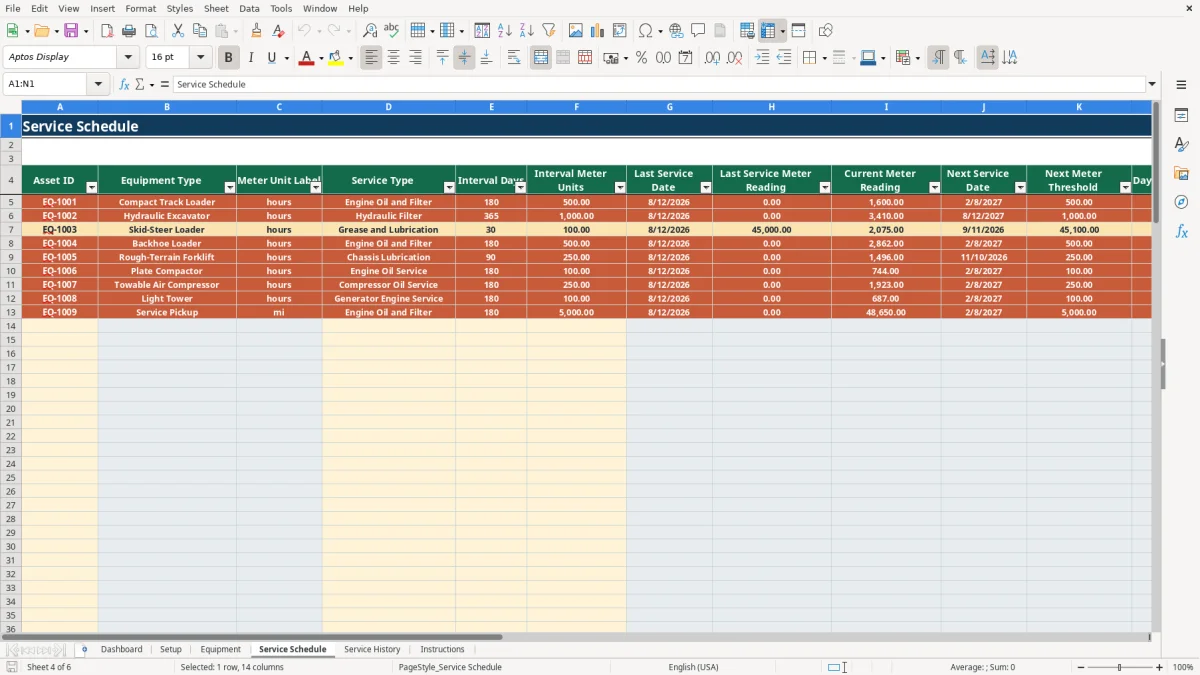
On Service Schedule, select an Asset ID and service type, then enter interval days and interval meter units. Create one row for each Asset ID and service type combination. The workbook brings in the equipment type, meter unit label, and current meter reading from Equipment.
Record completed service
On Service History, enter the Asset ID, service type, date, meter reading, provider, cost in USD, and notes for each completed event. Update the current meter reading on Equipment as operations change. Then review Dashboard for overdue, due-now, and due-soon reminders.
Benefits
Link recurring service lines to individually identified equipment assets.
Track completed maintenance dates, meter readings, providers, notes, and USD costs.
Review overdue, due-now, due-soon, scheduled, and baseline-needed service lines.
Use the dashboard to summarize assets, service lines, reminders, and completed-service costs.
Features
Six worksheets: Dashboard, Setup, Equipment, Service Schedule, Service History, and Instructions.
User-entry fields include Asset ID, service type, date, meter reading, provider, cost, and notes.
Calculated outputs include next service date, next meter threshold, days overdue, and overdue flag.
Core tracking sheets provide prepared rows 5 through 104.
Equipment maintenance records by Asset ID
This construction equipment maintenance log is organized around the Asset ID. Equipment holds the asset register with equipment type, meter unit label, and current meter reading. Service History stores completed maintenance events, while Service Schedule creates a recurring service line for each asset-service combination.
Use one Asset ID for each identified machine or vehicle. The workbook is intended for asset service history, not for tracking parts quantities, storage locations, stock movements, or replenishment needs.
How service scheduling calculations work
For a selected Asset ID and service type, the Service Schedule finds the latest matching completed-service date and meter reading in Service History. It adds interval days to the last service date to calculate the next service date. It adds interval meter units to the last service meter reading to calculate the next meter threshold.
The current meter reading comes from Equipment. A line becomes overdue when its next service date has passed or its current meter reading is above the next meter threshold. If no matching completed-service record exists, the line is labeled Baseline Needed.
Due-now and due-soon status reminders
Schedule Status can show Baseline Needed, Overdue, Due Now, Due Soon, or Scheduled. Due Now applies when a next service date is the current date or when the current meter reading equals the next meter threshold. Due Soon applies to a future next service date inside the upcoming service window on Setup.
Review these statuses as planning reminders. They depend on the date, interval values, meter readings, and completed-service records entered in the workbook. They do not establish maintenance requirements or decide whether equipment is safe to operate.
Completed-service costs and dashboard review
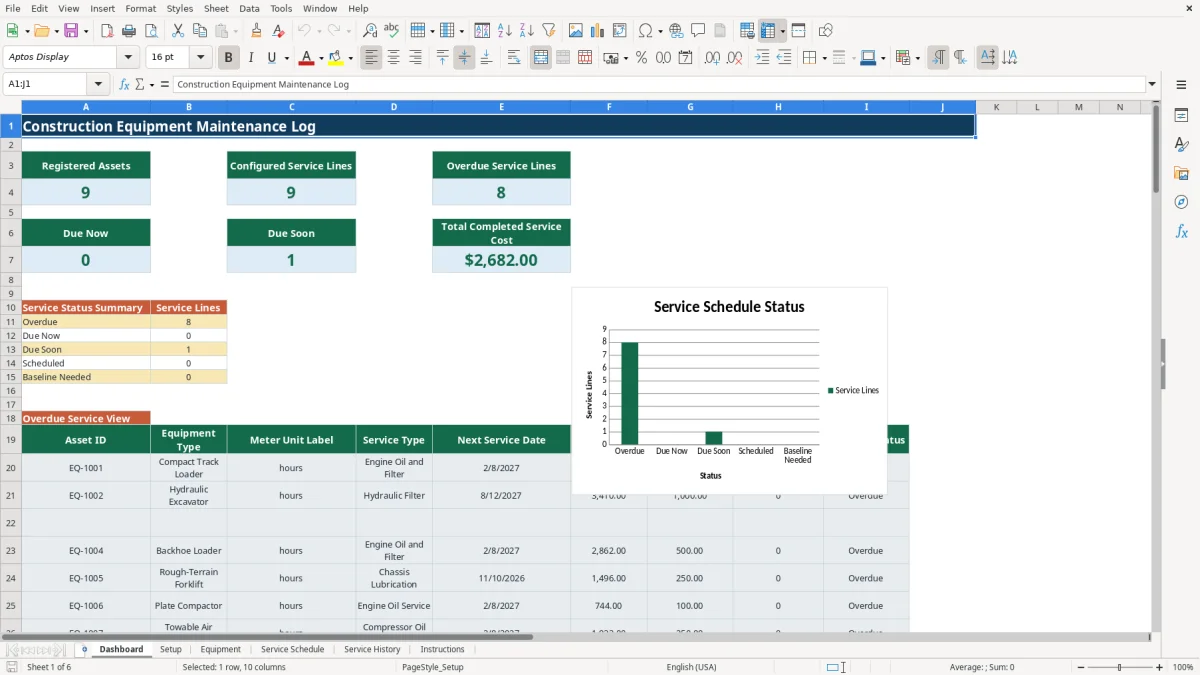
Service History includes a Cost (USD) field for each completed event. Dashboard totals the recorded costs in the prepared Service History range and summarizes registered assets, configured service lines, overdue service lines, due-now lines, and due-soon lines. It also provides an overdue service view with key schedule details.
The cost total is a sum of entered completed-service costs, not a budget, estimate, invoice approval, or forecast. Check source entries before using the total in internal reporting.
Frequently asked questions
What fields do I enter for each equipment asset?
On Equipment, enter an Asset ID, equipment type, meter unit label, and current meter reading. Equipment type and meter unit label are selected from lists maintained on Setup. The current meter reading is used by the service schedule when comparing the asset with its next meter threshold.
How is the next service date calculated?
The workbook uses the latest matching completed-service date for the Asset ID and service type, then adds the interval days entered on Service Schedule. If no completed-service baseline is available for that combination, the next date remains unavailable and the status is Baseline Needed.
How are meter-based service reminders calculated?
The workbook adds interval meter units to the last service meter reading to calculate the next meter threshold. It compares that threshold with the current meter reading in Equipment. Keep unit labels consistent; the workbook does not convert hours and mi.
What does Days Overdue mean?
Days Overdue is a date-based result. It counts days after the calculated next service date and does not go below zero. A line may be overdue because of its meter reading while Days Overdue remains zero, so review the overdue flag and schedule status together.
What does this workbook not do?
This workbook tracks recurring maintenance history for individually identified assets using user-entered data and intervals. It does not replace manufacturer instructions, qualified maintenance, safety inspections, warranty conditions, or lockout procedures. It does not manage parts inventory, stock movements, or storage locations.
Workbook file
Ready to put this workbook to work?
Download the verified XLSX, keep an untouched copy, and adapt a working copy to your project.
Download verified XLSXEditorial team
About the authors

Paige Sutton Vale
Workbook Systems Editor
Paige turns construction planning, cost-control, field, and closeout workflows into clear Excel workbook guides. She focuses on inputs, calculations, outputs, and practical limits.

Maren Ellsworth Keel
Workbook QA Reviewer
Maren reviews formula behavior, field labels, project-controls terminology, and workbook instructions so each resource stays within its documented scope.
Continue exploring