Verified Excel workbook
Free 2026 Construction Retainage Workbook in Excel
Track downstream subcontractor retainage withheld and released by pay application with a free 2026 Workbook in Excel, open balances, and aging review.
Keep project-controls visibility on retained funds with this Construction Subcontractor Retainage Tracker Workbook. Download the free 2026 Workbook in Excel to record downstream subcontractor withholding and release events by project, subcontract reference, and pay application. It is built for an internal downstream retainage subledger, not contractor-to-owner billing.
Users enter the project, subcontractor, subcontract reference, application, dates, amount billed, retainage withheld, retainage released, release date, and notes. The workbook calculates balances, days held, subcontract totals, and an open-balance aging view in USD. Record releases as separate ledger events so application history remains available for review.
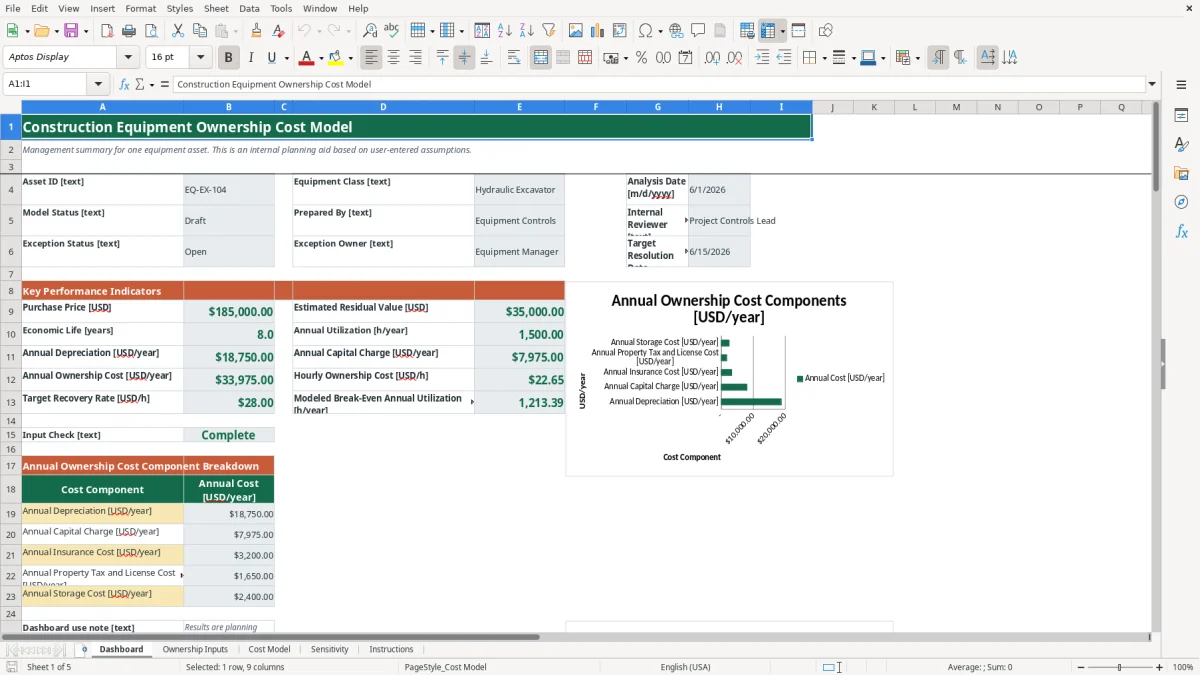
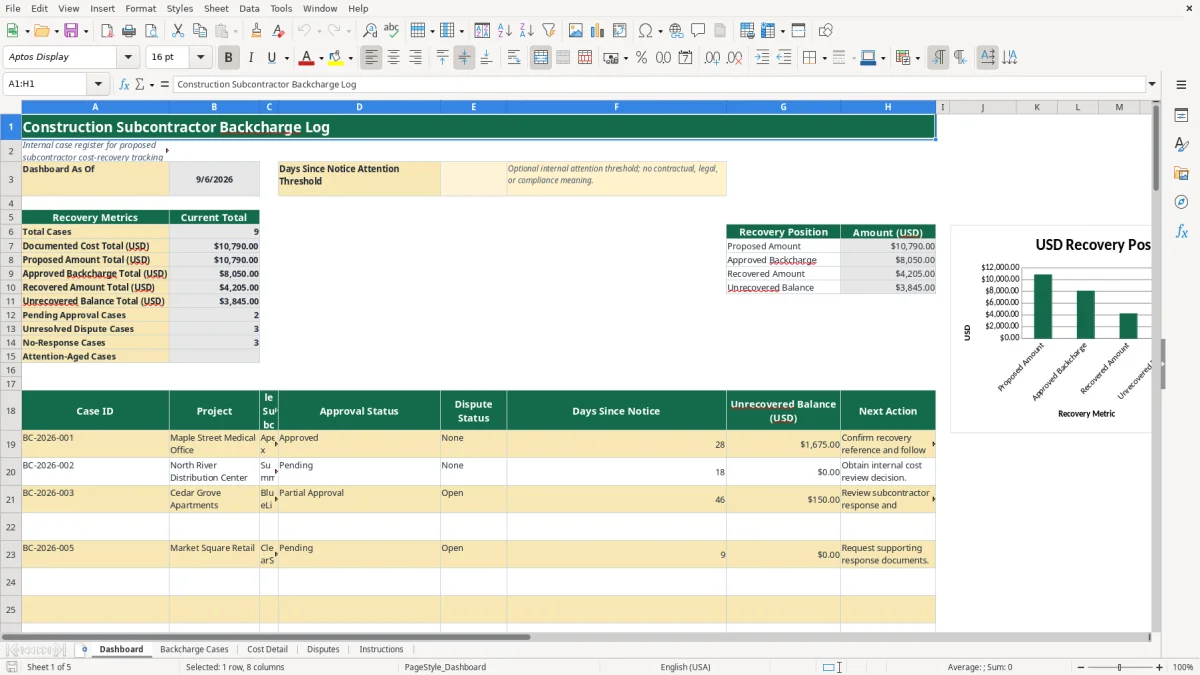
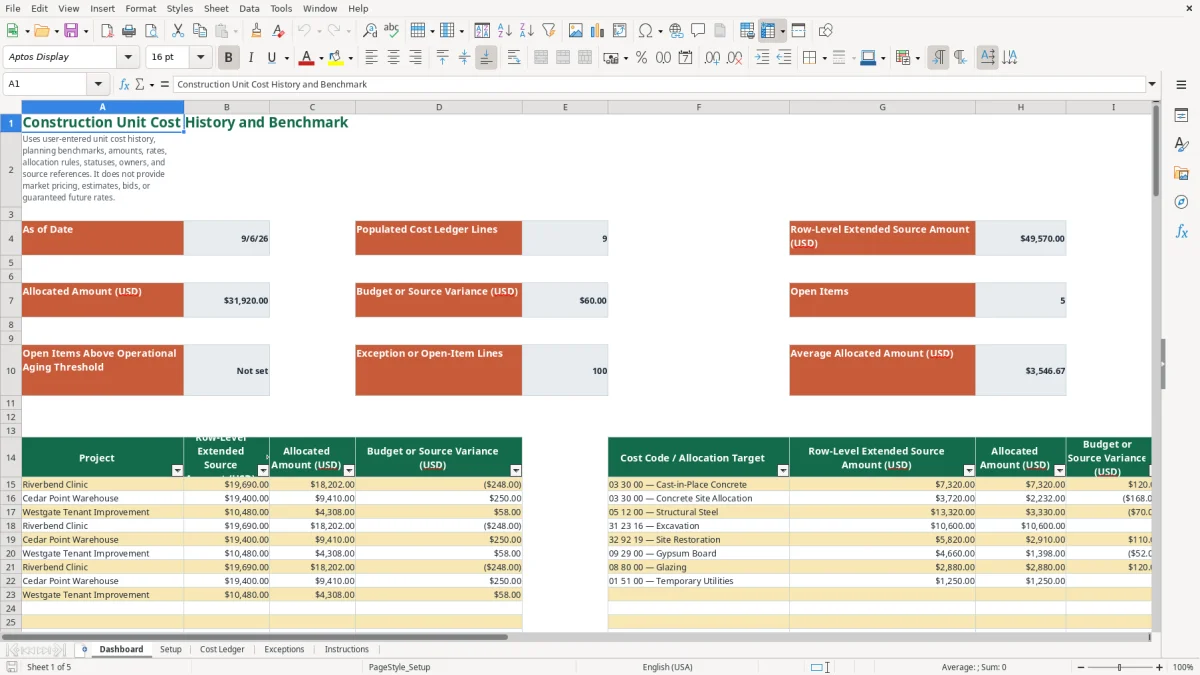
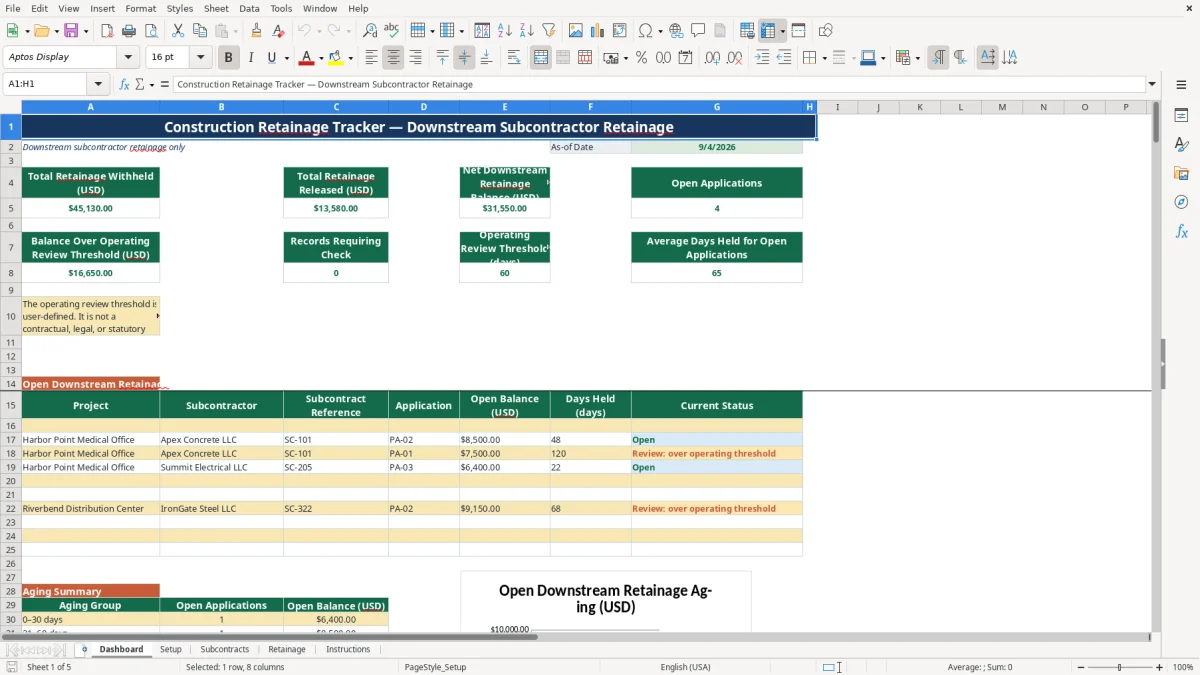
Final workbook preview
Four views generated from the verified XLSX.
How to use this workbook
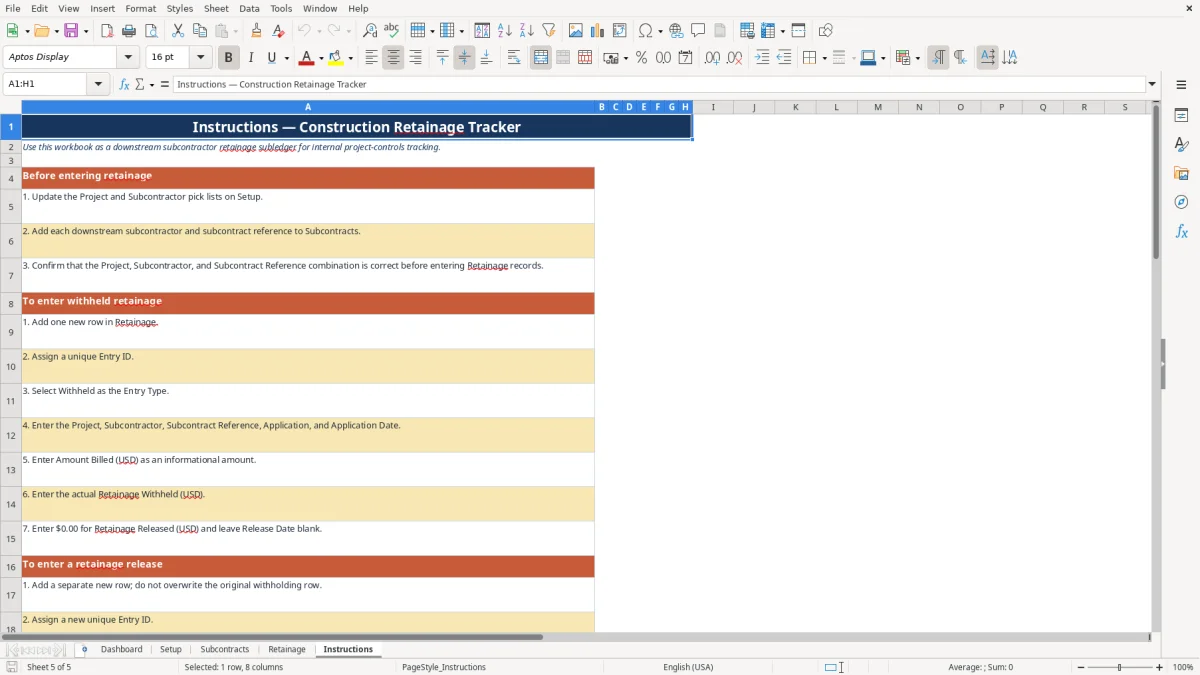
1. Set up projects and subcontractors
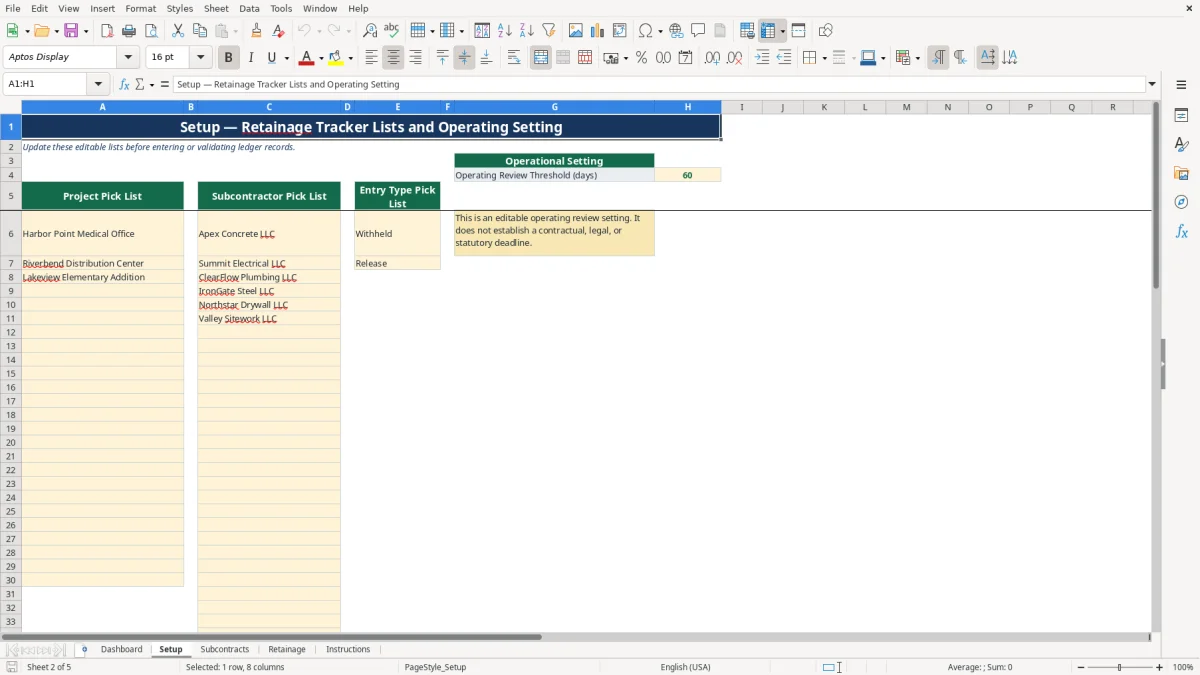
Start on Setup and update the project and subcontractor pick lists for your work. The operating review threshold is also editable there; the supplied setting is 60 days. Then use Subcontracts to maintain each project, subcontractor, and subcontract reference combination. This master list supports the ledger’s mismatch checks.
2. Enter a withholding event
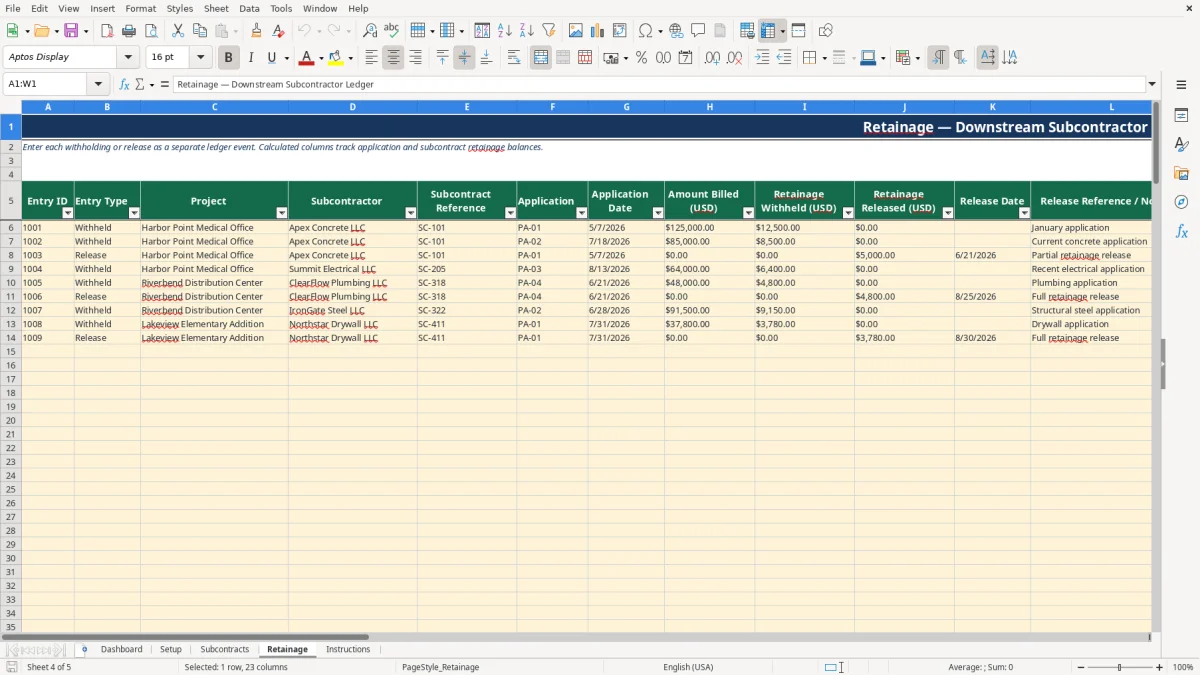
On Retainage, use a prepared ledger row from 6 through 155. Assign a unique Entry ID, select Withheld, and enter the project, subcontractor, reference, application, and Application Date in m/d/Y format. Enter Amount Billed (USD) as informational context, enter Retainage Withheld (USD), enter $0.00 for Retainage Released (USD), and leave Release Date blank.
3. Enter a release event
Add a new row rather than changing the original withholding row. Select Release and use the same project, subcontractor, subcontract reference, application, and Application Date as the related withholding event. Enter $0.00 for Amount Billed (USD) and Retainage Withheld (USD), then enter the release amount in USD, the Release Date in m/d/Y format, and a useful release reference or note.
4. Review calculated results
Leave calculated columns M through W intact. Review Data Check and Current Status in the ledger, then use Dashboard for total withheld, total released, net downstream retainage balance, open applications, days held, and aging. The review threshold is an operating follow-up setting, not a contract or legal deadline.
Benefits
Keeps downstream withheld and released retainage visible by subcontractor application.
Separates application balances from subcontract-level held and released totals.
Highlights open balances and aging for internal follow-up.
Provides data checks before dashboard totals are reviewed.
Features
Five worksheets: Dashboard, Setup, Subcontracts, Retainage, and Instructions.
Prepared Retainage ledger rows 6 through 155 for entered events.
Calculated application balance, days held, and subcontract totals in USD.
Dashboard open-balance view, aging summary, and aging chart.
Construction retainage tracking in Excel
This workbook is focused on downstream subcontractor retainage: amounts withheld from and released to subcontractors. Each ledger event identifies the project, subcontractor, subcontract reference, and pay application, helping a project-controls team review retained funds at the level where the activity occurred.
It is not an upstream owner billing record. The workbook does not calculate retainage rates, determine when retainage is due, or establish the terms of a subcontract. Retainage requirements vary by contract and jurisdiction, so users should apply their own approved project records and review process.
Ledger inputs and calculated balance logic
The Retainage sheet distinguishes user-entered fields from calculated outputs. Users enter event details in the ledger, including Entry Type, application information, billed amount, withheld amount, released amount, dates, and notes. Withheld and Release are separate entry types, allowing a partial or full release to remain connected to its application history.
The calculated application-level balance equals retained amounts withheld less retained amounts released for the matching project, subcontract reference, and application. Separate calculated fields total retained amounts held and released by matching project and subcontract reference, then show the resulting subcontract open balance.
Open-balance aging and internal review
For an open application balance, Days Held counts from the Application Date through the current workbook date. The Dashboard summarizes open applications into 0–30 days, 31–60 days, 61–90 days, and 91+ days groups, with open balances shown in USD. It also presents an open downstream retainage balance view.
Data checks identify missing required fields, duplicate Entry IDs, invalid entry types, master-list mismatches, and released amounts that exceed withheld amounts. A record over the editable threshold receives a review prompt. That prompt is operational only and does not calculate contractual, statutory, or legal deadlines.
Frequently asked questions
What does this retainage workbook track?
It tracks downstream subcontractor retainage withholding and release events by project, subcontractor, subcontract reference, and pay application. Its calculated outputs include application retainage balance, days held, subcontract total held, subcontract total released, subcontract open balance, an open-balance view, and an aging summary.
How should I record a partial retainage release?
Enter a separate Release event on a new Retainage row. Use a new Entry ID and repeat the related project, subcontractor, subcontract reference, application, and Application Date. Enter the release amount in Retainage Released (USD), provide a Release Date, and retain the original withholding row as part of the event history.
What do Data Check and Current Status show?
Data Check can identify missing required fields, duplicate Entry IDs, invalid entry types, master-list mismatches, and releases that exceed withheld amounts. Current Status can show an open balance, released balance, prior event, a check result, or an over-threshold review prompt. Review the source ledger entries before relying on dashboard totals.
What are the workbook limits?
The workbook is limited to downstream subcontractor retainage tracking and does not serve as an upstream owner billing record. It does not determine lawful terms, contract rights, retainage rates, statutory or contractual deadlines, or accounting treatment. Full Dashboard behavior requires Excel functionality that supports FILTER, and ledger calculations are prepared through Retainage row 155.
Workbook file
Ready to put this workbook to work?
Download the verified XLSX, keep an untouched copy, and adapt a working copy to your project.
Download verified XLSXEditorial team
About the authors

Paige Sutton Vale
Workbook Systems Editor
Paige turns construction planning, cost-control, field, and closeout workflows into clear Excel workbook guides. She focuses on inputs, calculations, outputs, and practical limits.

Maren Ellsworth Keel
Workbook QA Reviewer
Maren reviews formula behavior, field labels, project-controls terminology, and workbook instructions so each resource stays within its documented scope.