Verified Excel workbook
Free 2026 Construction Workbook in Excel
Reconcile final estimate lines to awarded budget codes in Excel with a USD crosswalk, exception log, coverage reporting, and handoff checks.
Move from a final estimate to an awarded budget with a documented construction estimate to budget reconciliation Excel workbook. Download this free workbook to record how estimate lines connect to awarded budget cost codes and how amounts are allocated, excluded, assigned to contingency, transferred, or held for review. The workbook contains Dashboard, Estimate Baseline, Budget Baseline, Crosswalk, Exceptions, and Instructions worksheets for a one-time budget handoff.
Users enter their own line IDs, cost codes, descriptions, USD amounts, dates, references, ownership, allocation decisions, and status information. Formulas summarize mapped, unmapped, allocated, unexplained, and variance amounts. This is a handoff reconciliation tool, not an ongoing budget or job-cost system.
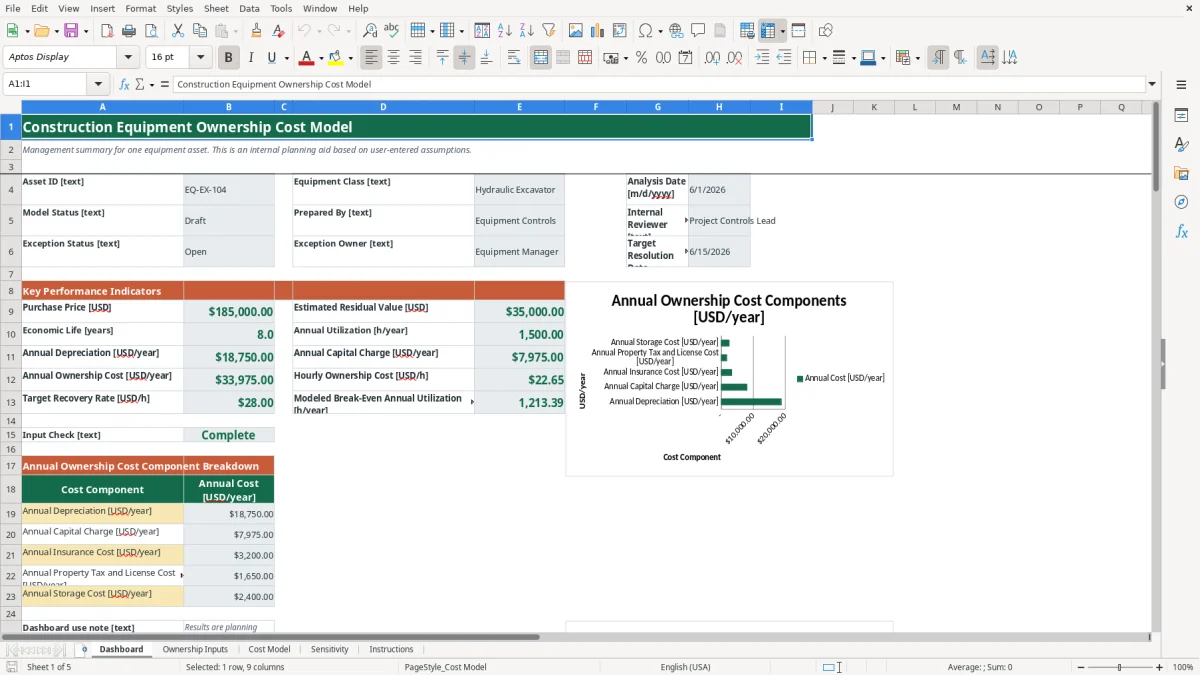
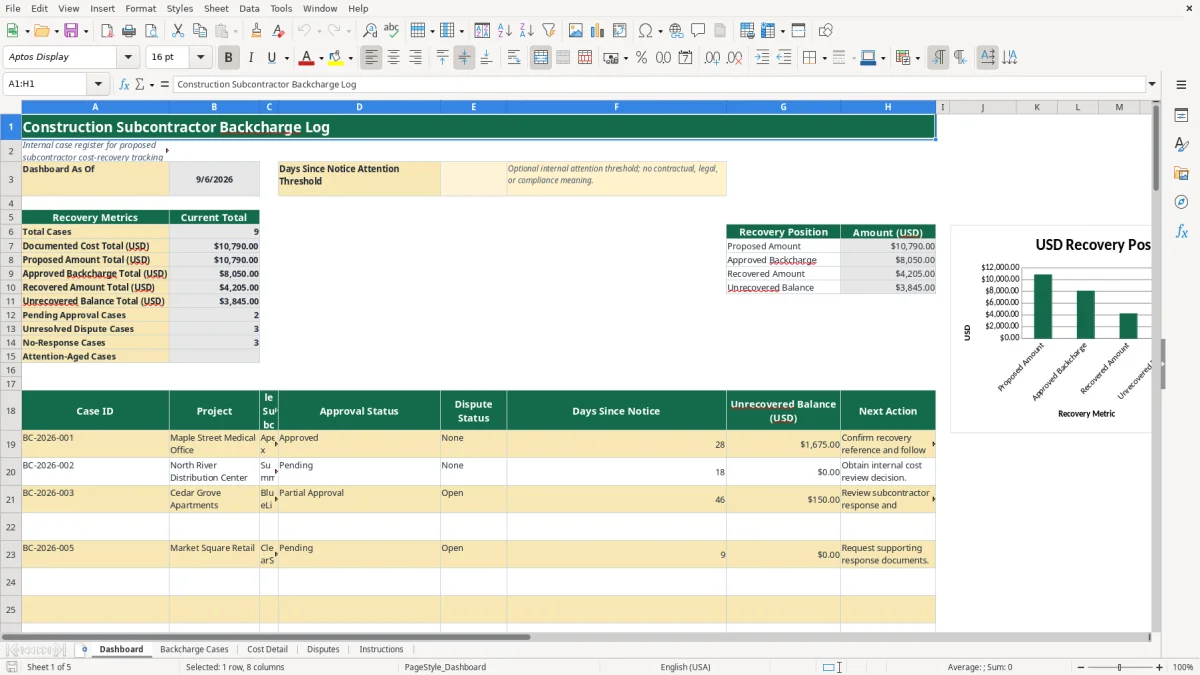
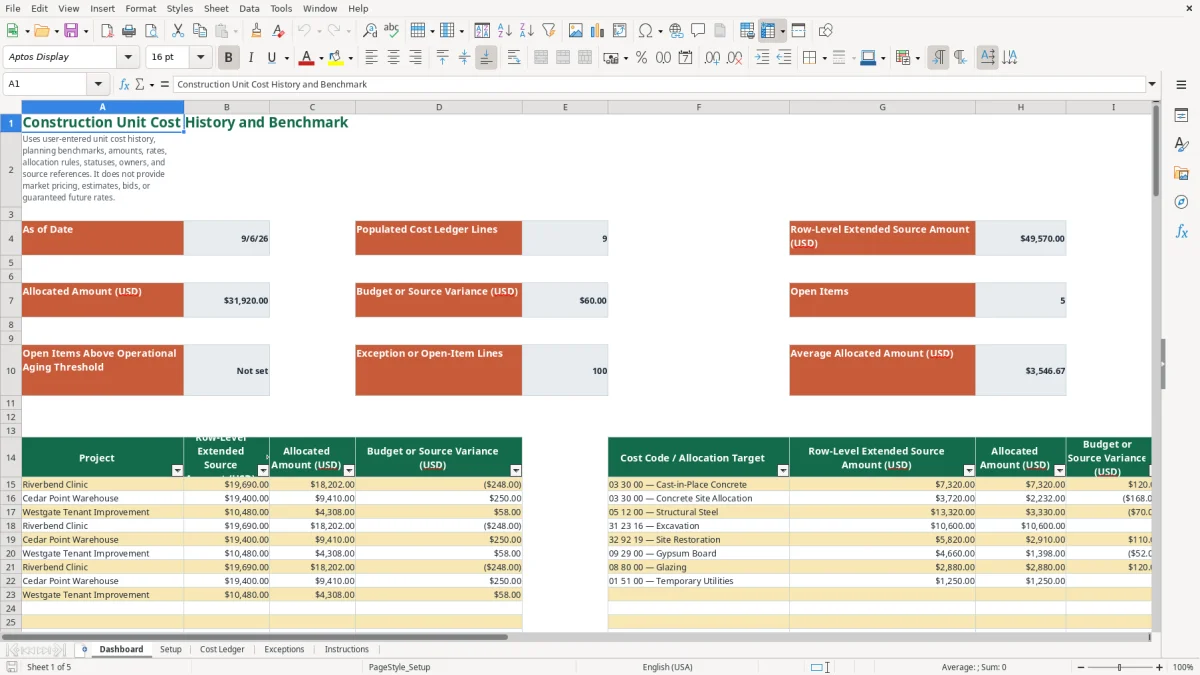
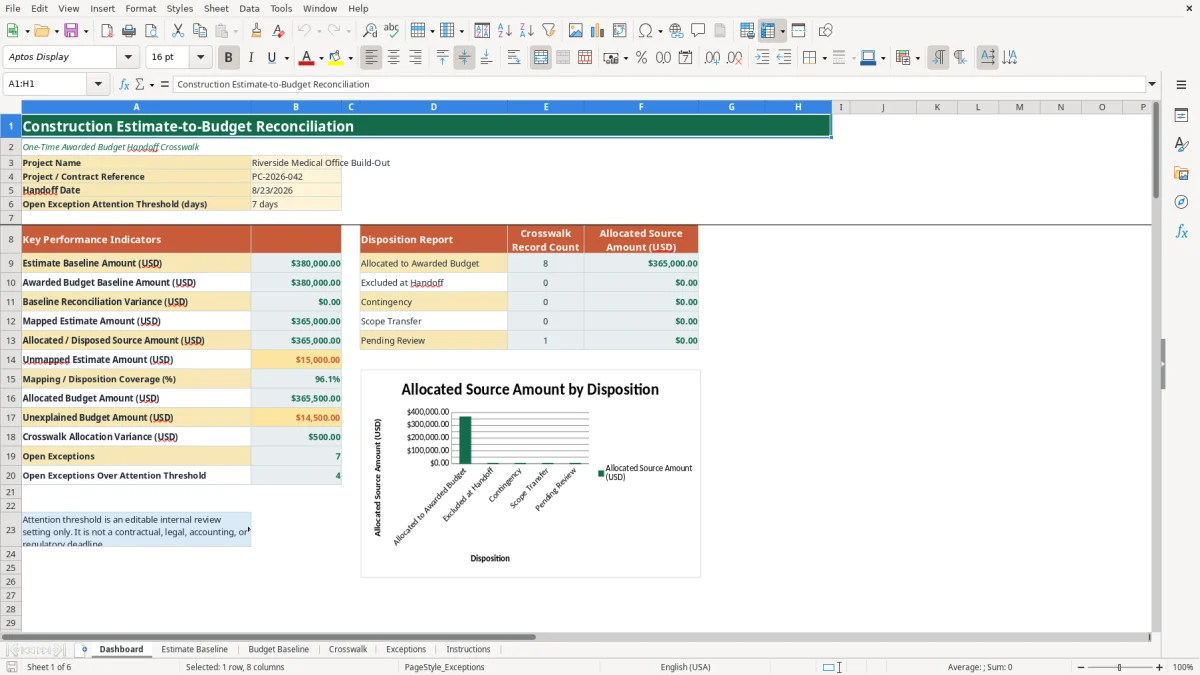
Final workbook preview
Four views generated from the verified XLSX.
How to use this workbook
Enter project handoff information
Start on Dashboard. Enter the project name, project or contract reference, handoff date, and open-exception attention threshold in days. Use m/d/Y dates, such as 8/23/2026. The attention threshold is an internal review setting, not a contractual, legal, accounting, or regulatory deadline.
Update the estimate baseline
In Estimate Baseline, enter or replace estimate line IDs, estimate cost codes, descriptions, estimate amounts in USD, source references, estimate dates, and notes. These records provide the source side of the reconciliation and support Crosswalk lookups.
Update the awarded budget baseline
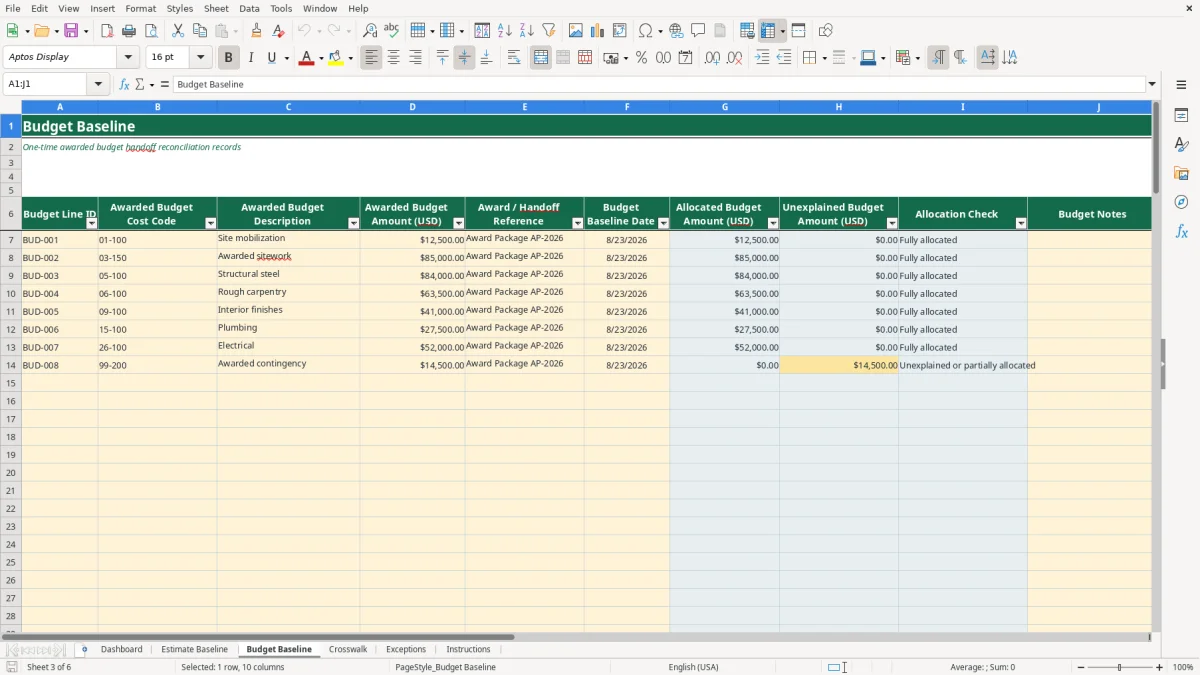
In Budget Baseline, enter or replace budget line IDs, awarded budget cost codes, descriptions, awarded budget amounts in USD, award or handoff references, baseline dates, and notes. Keep awarded budget cost codes unique so allocations and lookups remain unambiguous.
Record mappings and follow-up items
Create Crosswalk records for each relationship. Enter allocated source and budget amounts, mapping status, mapping or split group, disposition, reason, owner, reference, date, and status. Add unresolved items to Exceptions, then review Dashboard totals, coverage, variances, and open-item aging before closing the handoff review.
Benefits
Connects final estimate lines to awarded budget cost codes in one reconciliation record.
Separates allocated, unmapped, unexplained, and variance amounts in USD.
Documents owners, reasons, handoff references, dates, and follow-up status.
Supports one-to-one, combined, split, and unmapped mapping relationships.
Features
Six worksheets: Dashboard, Estimate Baseline, Budget Baseline, Crosswalk, Exceptions, and Instructions.
Prepared operational rows from row 7 through row 106 on the working records.
Dropdown selections for crosswalk mapping status, disposition, status, and exception fields.
Formula-based USD totals, allocation checks, coverage, variances, and exception aging.
Construction estimate-to-budget crosswalk
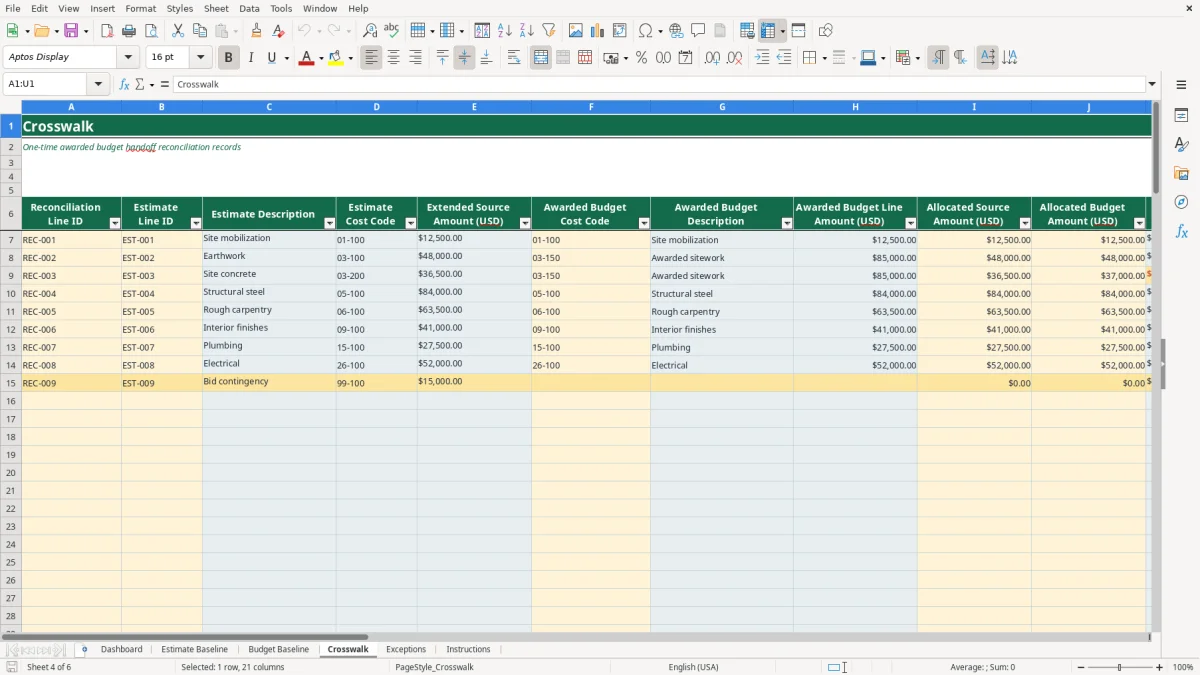
The Crosswalk worksheet is the primary bridge between an estimate line and an awarded budget cost code. Users enter a reconciliation line ID, estimate line ID, awarded budget cost code, allocated source amount in USD, allocated budget amount in USD, mapping status, group, disposition, reason, owner, approval or handoff reference, record date, and status. Formulas retrieve related descriptions, cost codes, source amounts, budget amounts, and source references from the baseline worksheets. Use allocated amounts for reconciliation totals, rather than repeatedly totaling displayed reference amounts.
Combined and split budget mappings
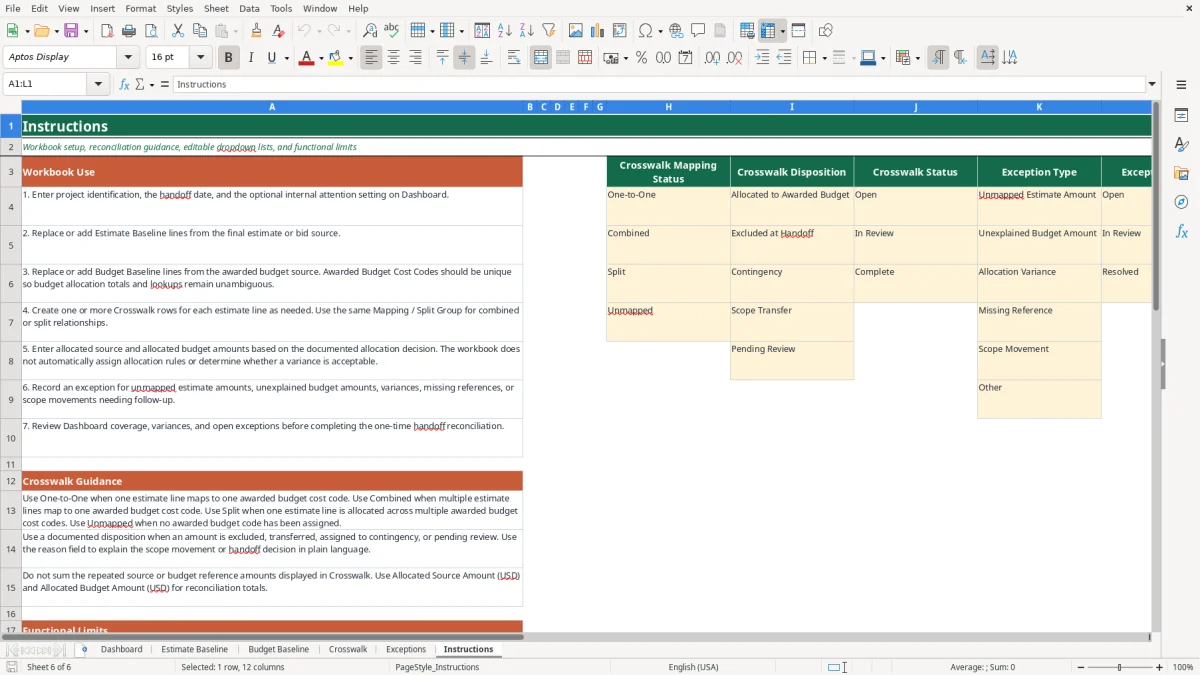
Use One-to-One when one estimate line maps to one awarded budget cost code. Use Combined when multiple estimate lines map to one awarded budget code. Use Split when one estimate line is allocated across multiple awarded budget codes. The mapping or split group field can connect related Crosswalk records. Available dispositions include Allocated to Awarded Budget, Excluded at Handoff, Contingency, Scope Transfer, and Pending Review. Enter the documented reason or scope movement for each disposition; the workbook does not create allocation rules or decide whether a mapping is appropriate.
USD reconciliation calculations
Estimate Baseline calculates mapped estimate amount, allocated or disposed source amount, unmapped estimate amount, and an allocation check by estimate line. Budget Baseline calculates allocated budget amount, unexplained budget amount, and an allocation check by budget line. Dashboard calculates estimate and awarded budget baseline totals, baseline reconciliation variance, crosswalk allocation variance, and mapping or disposition coverage. All calculated USD outputs depend on user-entered records and the allocation amounts entered in Crosswalk.
Exception log and functional limits
Use Exceptions to track unmapped estimate amounts, unexplained budget amounts, allocation variances, missing references, scope movements, or other handoff issues. The sheet records the issue, linked reconciliation line or budget code, USD source and budget amounts, owner, dates, status, reference, and resolution note. Open Item Aging in days is calculated from the open date for items not marked Resolved. Aging measures elapsed days; it does not establish a required deadline.
This workbook is an internal project-controls aid for one-time estimate-to-awarded-budget handoff reconciliation. It does not maintain approved budget revisions, actual costs, commitments, forecasts, transactions, payment records, accounting records, taxes, payroll, insurance, contracts, or legal records.
Frequently asked questions
What does this construction estimate to budget reconciliation workbook calculate?
The workbook calculates mapped estimate amount, unmapped estimate amount, reconciliation variance, mapping or disposition coverage percentage, disposition totals by type, allocated budget amount, unexplained budget amount, and open item aging in days. These outputs are based on the Estimate Baseline, Budget Baseline, Crosswalk, and Exceptions records entered or updated by the user.
Can one estimate line map to several awarded budget codes?
Yes. Create multiple Crosswalk records with the same estimate line ID and use Split as the mapping status. Enter the allocated source amount and allocated budget amount in USD for each record. The Estimate Baseline allocation check calculates the remaining relationship between the estimate amount and the amounts recorded through Crosswalk.
Can multiple estimate lines map to one budget code?
Yes. Use Combined as the mapping status when several estimate lines are represented by one awarded budget cost code. Apply the same mapping or split group to the related records when that helps document the relationship. Budget Baseline calculates the budget amount allocated through Crosswalk and the unexplained budget amount for each budget line.
How many records can the workbook hold?
Each operational table is prepared for 100 rows, from row 7 through row 106. Review the number of estimate lines, budget lines, crosswalk records, and exception records needed for the specific handoff before relying on the prepared range. The workbook does not state support for records beyond those prepared operational rows.
Can this workbook manage later budget changes and project costs?
No. Its stated functional boundary is the one-time bridge from a final estimate or bid source to the awarded budget baseline. It does not maintain the current approved budget, later approved revisions, actual costs, commitments, forecasts, or transactions. Use a separate process for ongoing budget and project-cost management.
Workbook file
Ready to put this workbook to work?
Download the verified XLSX, keep an untouched copy, and adapt a working copy to your project.
Download verified XLSXEditorial team
About the authors

Paige Sutton Vale
Workbook Systems Editor
Paige turns construction planning, cost-control, field, and closeout workflows into clear Excel workbook guides. She focuses on inputs, calculations, outputs, and practical limits.

Maren Ellsworth Keel
Workbook QA Reviewer
Maren reviews formula behavior, field labels, project-controls terminology, and workbook instructions so each resource stays within its documented scope.