
Verified Excel workbook
Free 2026 Construction Safety Inspection Workbook in Excel
Record construction safety observations, assign corrective actions, and track open or overdue follow-up for one jobsite inspection in Excel.
Use this construction safety observation and corrective-action workbook to organize site findings for one jobsite inspection. Download the free Excel workbook to begin with a configurable register for observed conditions, immediate actions, and follow-up assignments. It is an observation aid, not a compliance checklist or a certification of correction.
The workbook supports practical field documentation: record what was observed, identify an area and hazard category, assign an owner, and maintain a user-entered action status. Its one-inspection scope helps a project team keep observation records and corrective-action follow-up connected without presenting the file as a complete safety program.
Final workbook preview
Four views generated from the verified XLSX.
How to use this workbook
Set up the inspection record
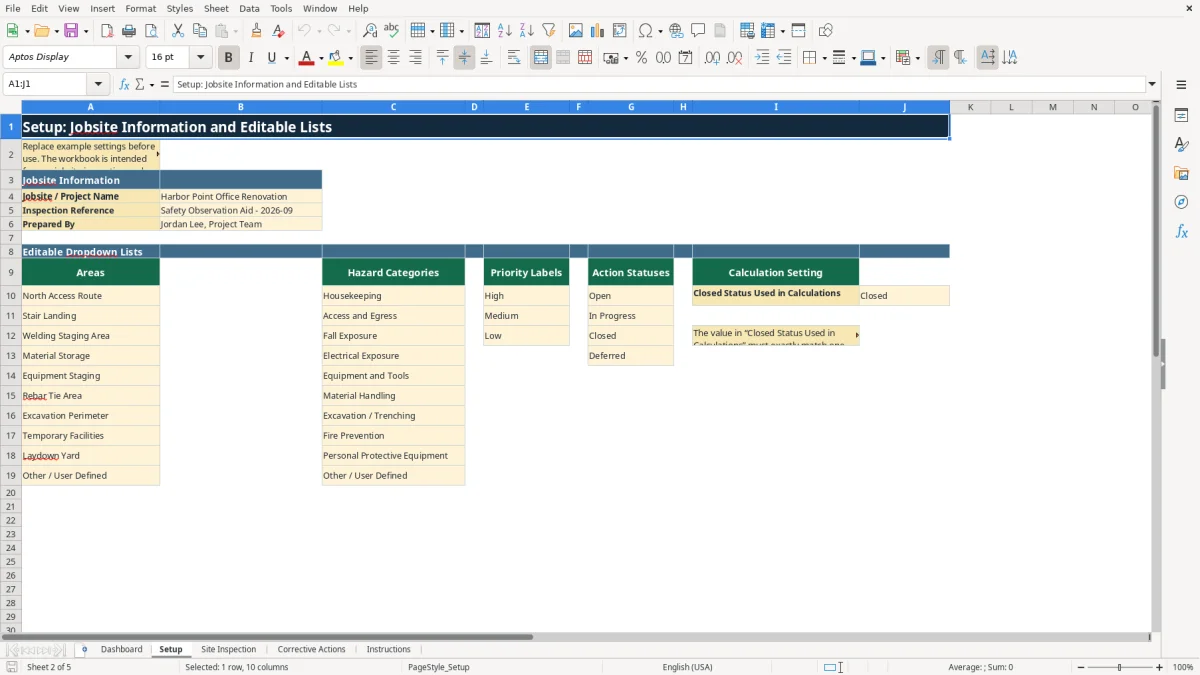
Start on the Setup sheet. Enter the jobsite or project name, inspection reference, and preparer. Replace the example areas, hazard categories, priority labels, and action statuses with project-specific terms. Set the Closed Status Used in Calculations value to exactly match one action-status item; this setting controls the workbook’s open-action and closure calculations.
Record observed conditions
On Site Inspection, enter the inspection date in m/d/Y format, then select the area, hazard category, and priority label. Describe the observation and immediate action taken, if any. Add entry notes as needed. Maintain a distinct Record Key for each entered record so the calculated Observation ID remains distinguishable. Priority labels are user-defined sorting aids, not risk determinations.
Assign linked corrective actions
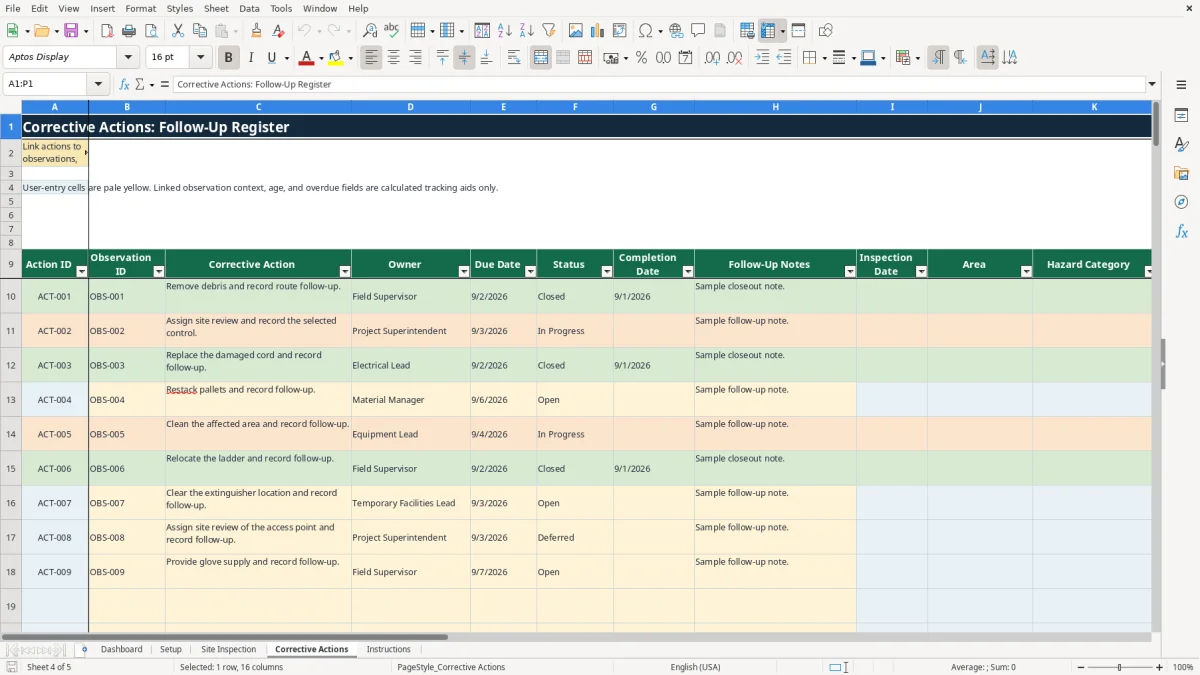
On Corrective Actions, select the related Observation ID and enter the corrective action, owner, due date, and status. Completion Date and Follow-Up Notes are user-entered tracking fields. Linked inspection date, area, category, priority label, and observation details populate from the selected observation.
Review the dashboard
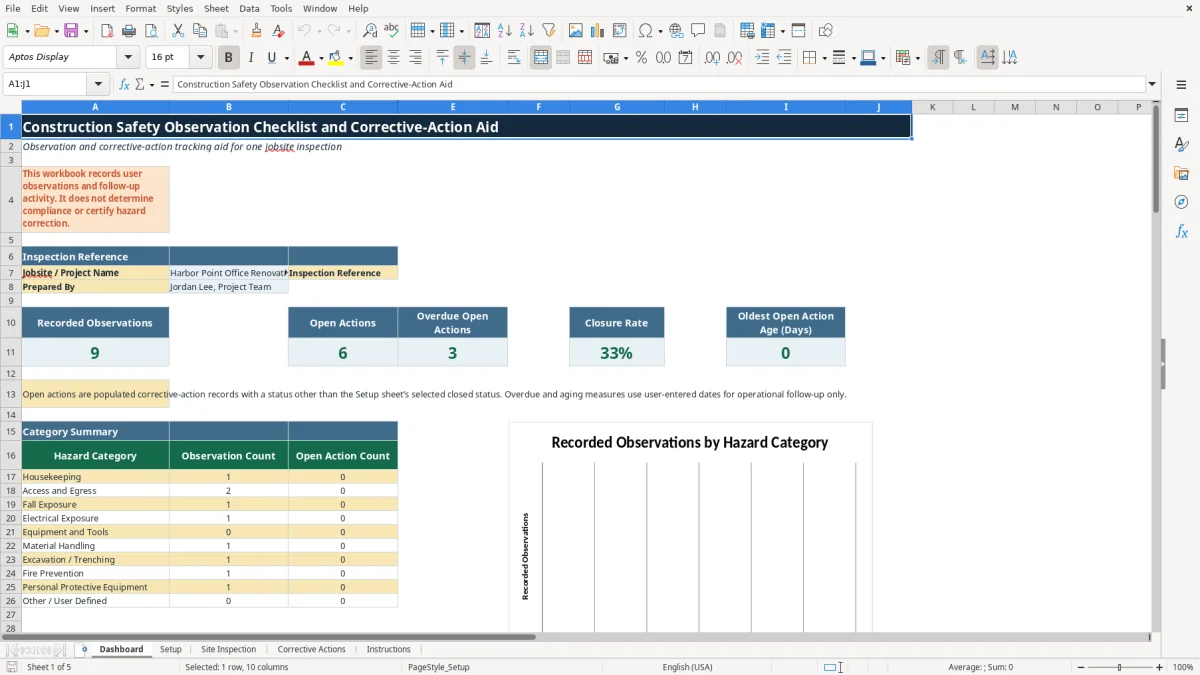
Use Dashboard to review recorded observations, open actions, overdue open actions, closure rate, oldest open-action age, a category summary, and one chart. Review the underlying entries before relying on any summary, especially after changing statuses or dates.
Benefits
Keeps observation details and corrective-action follow-up connected through linked record IDs.
Provides a structured place to assign owners, due dates, statuses, and follow-up notes.
Summarizes user-entered activity for focused review of open and overdue actions.
Allows project teams to replace example areas, categories, labels, and statuses.
Features
Five worksheets: Dashboard, Setup, Site Inspection, Corrective Actions, and Instructions.
Prepared for 100 observation rows and 100 corrective-action rows.
Calculates observation IDs, action IDs, linked observation context, action age, and days past due.
Includes editable lists, linked-record selections, a category summary, and one Dashboard chart.
Construction safety inspection checklist workflow
This Excel workbook supports a construction safety inspection checklist workflow centered on user-observed conditions and corrective-action follow-up. The Site Inspection register captures an inspection date, area, hazard category, observation, priority label, immediate action, and entry notes. It generates an Observation ID when an observation and Record Key are present, creating a practical link to subsequent action records.
The supplied area, category, and priority entries are examples to replace for the project and site team. Customize before use so the labels reflect the inspection scope, work activities, and internal follow-up process selected by the user.
Corrective-action tracking in Excel
The Corrective Actions register connects each action to an Observation ID. Users enter the corrective action, owner, due date, status, completion date, and follow-up notes. The workbook then brings in the linked inspection date, area, hazard category, priority label, and observation text for reference in the action record.
For populated actions that are not assigned the selected closed status, the workbook calculates Action Age in days from the linked inspection date and Days Past Due from the user-entered due date. Overdue is an operational tracking result based on a due date before the current workbook date; it does not establish a required deadline.
Dashboard measures and functional limits
The Dashboard counts rows containing an observation, populated actions that are not in the selected closed status, and overdue open actions. Closure Rate is calculated as closed populated corrective actions divided by all populated corrective actions. The category summary compares observation counts with open-action counts by hazard category.
Calculated results depend on user entries. A Closed status and a Completion Date are tracking records only. This workbook does not determine compliance, replace a competent person where applicable, provide site-specific procedures, certify hazard correction, or address every potentially applicable requirement. Users should customize the workbook, obtain competent-person review where applicable, and consult current OSHA and site-specific requirements.
Frequently asked questions
Which worksheets are included?
The workbook contains Dashboard, Setup, Site Inspection, Corrective Actions, and Instructions. Setup holds project information and editable lists. The two registers hold user-entered observations and actions, while Dashboard summarizes calculated tracking measures.
What counts as an open or overdue action?
An open action is a populated corrective-action row whose status does not exactly match the Closed Status Used in Calculations setting on Setup. An overdue open action also has a user-entered due date before the current workbook date. These are workbook calculations based on entered values.
Does a Closed status prove a condition was corrected?
No. Closed is a user-entered status used for tracking and calculations. A Closed status, completion date, or follow-up note does not prove correction, acceptance, compliance, or the adequacy of any action taken.
Is this a complete OSHA or compliance checklist?
No. It is a configurable observation and corrective-action aid for one jobsite inspection. It does not interpret or automate OSHA requirements, replace a competent person, or supply all procedures or criteria needed for a specific site.
How much activity can the workbook hold?
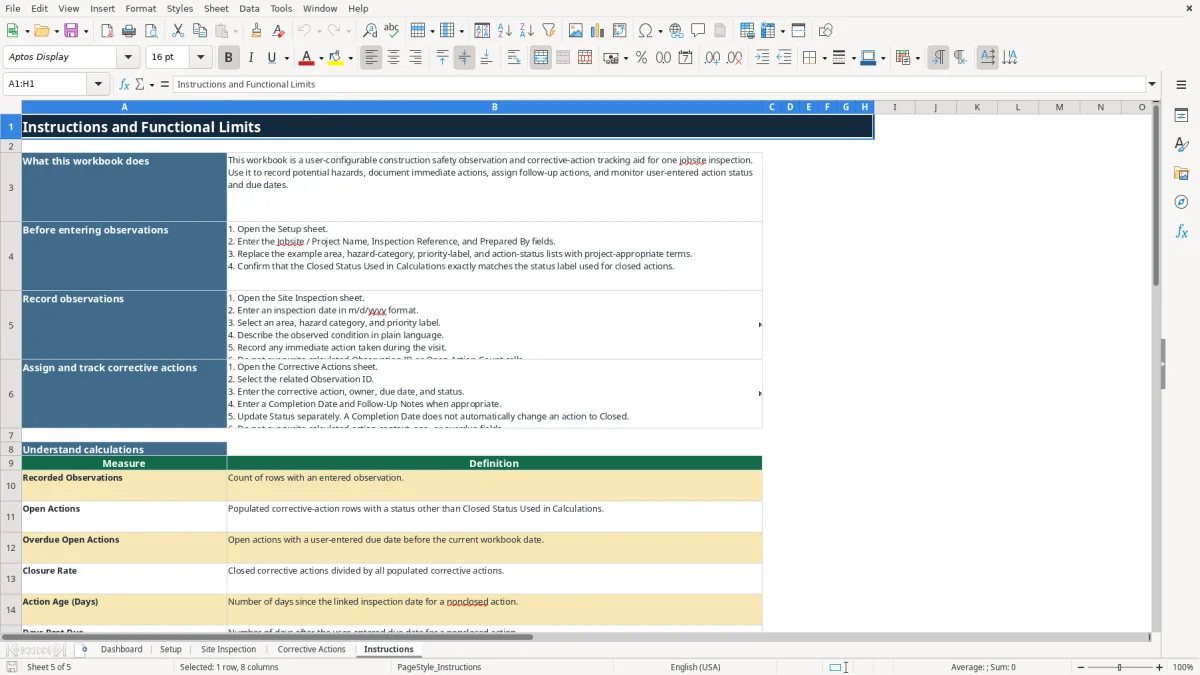
The workbook is prepared for 100 observation rows and 100 corrective-action rows. The Instructions sheet identifies maintenance steps for expansion, including preserving formulas and using unique Record Keys. Any changes beyond the prepared rows should be checked carefully for formula and link continuity.
Workbook file
Ready to put this workbook to work?
Download the verified XLSX, keep an untouched copy, and adapt a working copy to your project.
Download verified XLSXEditorial team
About the authors

Paige Sutton Vale
Workbook Systems Editor
Paige turns construction planning, cost-control, field, and closeout workflows into clear Excel workbook guides. She focuses on inputs, calculations, outputs, and practical limits.

Maren Ellsworth Keel
Workbook QA Reviewer
Maren reviews formula behavior, field labels, project-controls terminology, and workbook instructions so each resource stays within its documented scope.