Verified Excel workbook
Free Construction Bid Tracking Workbook in Excel for 2026
Track construction bid invitations, owners, due dates, submissions, and outcomes in a free 2026 Excel workbook for preaward pipeline control.
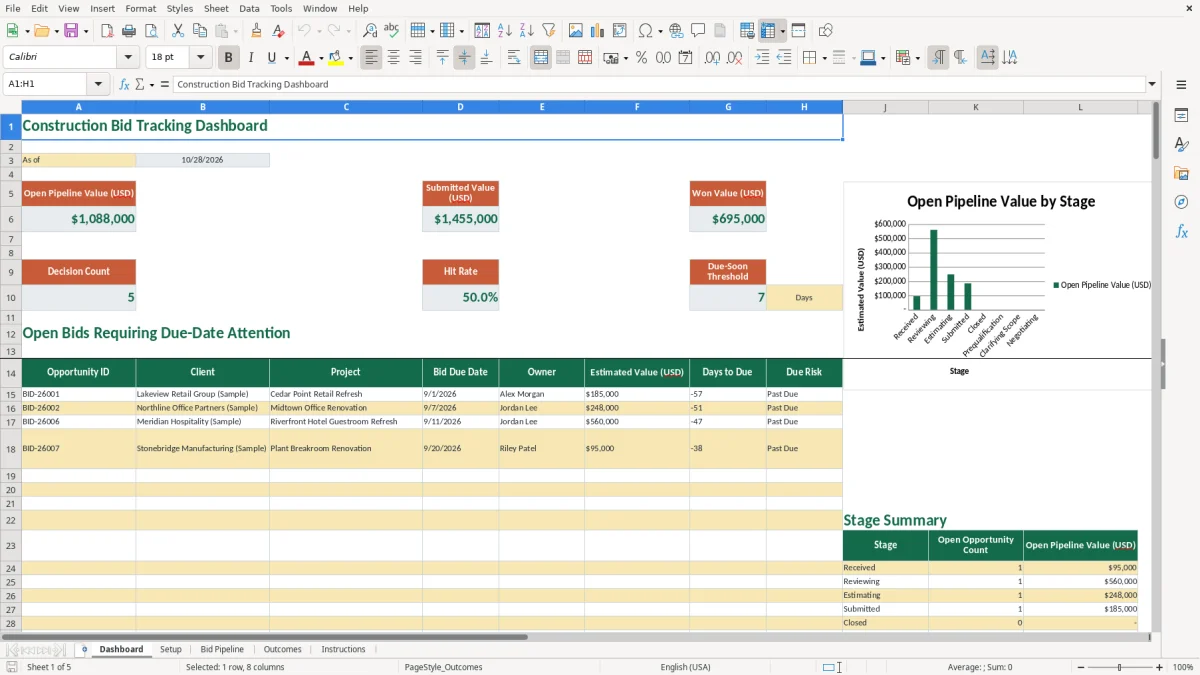
Download this free construction bid tracking spreadsheet for an organized view of preaward opportunities from receipt through outcome. The Construction Bid Tracking Workbook in Excel records the client, project, owner, bid due date, stage, estimated value in USD, submission date, outcome, and reason for each pursuit. Use one opportunity per row to maintain a usable internal pipeline register.
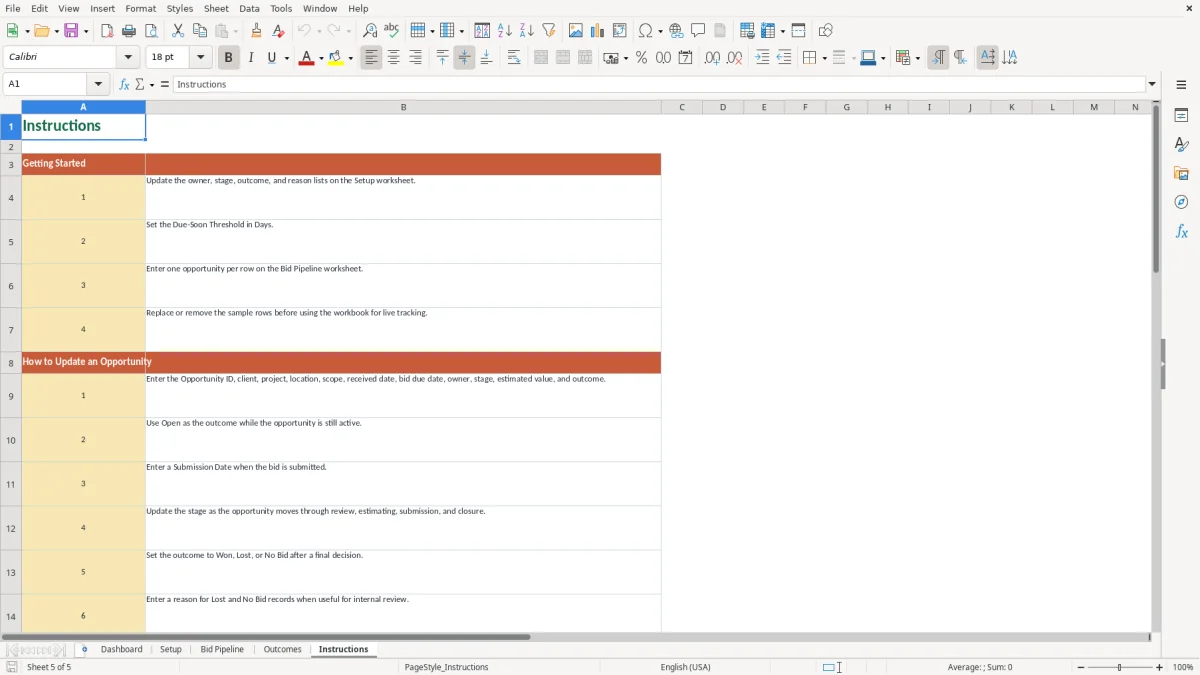
The workbook includes Dashboard, Setup, Bid Pipeline, Outcomes, and Instructions worksheets. It is intended for tracking what is received, assigned, due, submitted, won, lost, or marked no bid. It does not prepare a proposal, quote, estimate, bid form, takeoff, contract, or contractual language.
Final workbook preview
Four views generated from the verified XLSX.
How to use this workbook
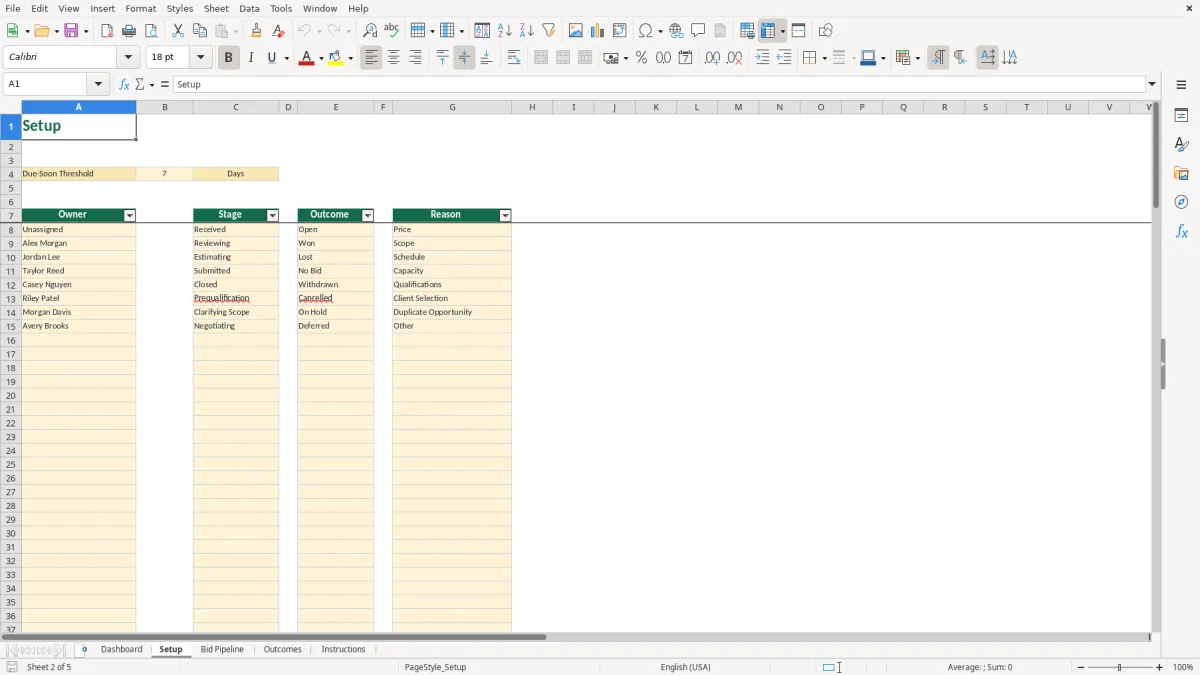
Set up internal reference lists
Start on the Setup worksheet. Update the owner, stage, outcome, and reason lists to match the terms your team uses. Enter a whole-number Due-Soon Threshold in days. Setup starts with a value of 7 days, but this is an editable internal operating setting, not a client, contractual, or legal deadline.
Handle the populated sample records
The Bid Pipeline worksheet contains populated sample records. Before using the workbook for live tracking, replace or remove those records as directed on the worksheet. The Bid Pipeline register is prepared for entries in rows 6 through 115. Do not treat the populated sample values as current opportunities, actual bid values, or project information.
Maintain one opportunity record
Enter the opportunity ID, client, project, location, scope, received date, bid due date, owner, stage, estimated value in USD, submission date, outcome, and reason. Enter dates in m/d/Y format. Owner, stage, outcome, and reason use lists maintained on Setup. Estimated Value accepts a nonnegative decimal entry.
Review calculated outputs
Days to Due and Due Risk calculate from the Bid Due Date and the computer date. Keep active opportunities set to Open, enter a submission date after submission, and update the outcome when a decision is recorded. Review the Dashboard and Outcomes worksheets after updating the Bid Pipeline.
Benefits
Record construction opportunities, contacts, due dates, owners, and stages in one place.
Review open pipeline, submitted value, and won value in USD.
Identify open records with due dates needing internal attention.
Summarize entered outcomes and reasons for pipeline review.
Features
Five worksheets: Dashboard, Setup, Bid Pipeline, Outcomes, and Instructions.
A Bid Pipeline register prepared across rows 6 through 115.
Editable owner, stage, outcome, reason, and due-soon settings.
USD totals, decision count, hit rate, outcome summaries, and a stage chart.
Construction bid pipeline tracking in Excel
This construction bid tracking spreadsheet is a preaward opportunity register for internal workflow control. On the Bid Pipeline worksheet, users enter the opportunity ID, client, project, location, scope, received date, bid due date, owner, stage, estimated value in USD, submission date, outcome, and reason. The fields support a record of when an opportunity arrived, who owns it, where it is in the internal process, and how it was ultimately recorded. The Dashboard calculates open pipeline value, submitted value, won value, decision count, hit rate, and a due-date attention list from those user-entered records.
Due-date tracking and internal workload review
Days to Due is calculated by comparing the entered Bid Due Date with the computer date. For records with Outcome set to Open, Due Risk returns Past Due when the due date is before the current date, Due Soon when the remaining days are within the Setup threshold, or On Track when the date is outside that threshold. The Dashboard pulls open records marked Due Soon or Past Due into its due-date attention section, including opportunity ID, client, project, bid due date, owner, estimated value in USD, days to due, and due risk. Review entered dates regularly because workbook outputs depend on those entries and the computer date.
Outcome summaries and recorded hit rate
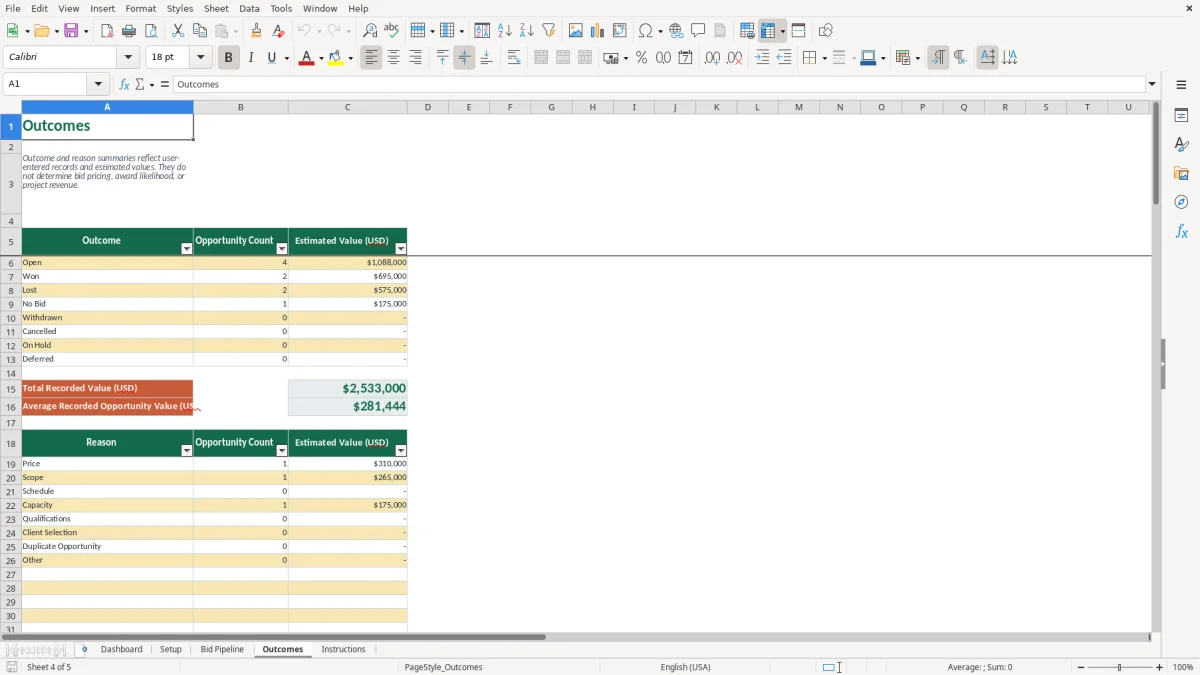
The Outcomes worksheet summarizes the user-entered outcome and reason fields by opportunity count and estimated value in USD. Setup provides editable starting outcomes that include Open, Won, Lost, No Bid, Withdrawn, Cancelled, On Hold, and Deferred. It also provides editable starting reasons, including Price, Scope, Schedule, Capacity, Qualifications, Client Selection, Duplicate Opportunity, and Other. The Dashboard decision count includes Won, Lost, and No Bid records. Hit rate is calculated as Won divided by Won plus Lost, excluding No Bid records. These are summaries of recorded entries, not award probability, pricing guidance, or a revenue forecast.
Frequently asked questions
What data does the construction bid tracking workbook collect?
For each opportunity, users enter an opportunity ID, client, project, location, scope, received date, bid due date, owner, stage, estimated value in USD, submission date, outcome, and reason. These are user-maintained fields. Accurate dates, values, stages, outcomes, and reasons are necessary for the calculated summaries to reflect the records entered.
How does the workbook identify bids that need attention?
For an Open opportunity with a valid Bid Due Date, the workbook calculates Days to Due from the computer date. It compares that number with the editable Due-Soon Threshold on Setup. Open records marked Due Soon or Past Due are returned to the Dashboard due-date attention list. The flag does not determine an actual deadline.
What is included in the Dashboard value totals?
Open Pipeline Value totals Estimated Value entries for records with Outcome set to Open. Submitted Value totals Estimated Value entries for records with a Submission Date. Won Value totals Estimated Value entries for records with Outcome set to Won. All three outputs are shown in USD and are based on user-entered estimated values.
How is hit rate calculated in this workbook?
Hit rate equals the count of Won records divided by the combined count of Won and Lost records. No Bid records are excluded from that ratio. If there are no Won or Lost records, the calculation returns blank. The result summarizes entered outcomes; it does not predict whether a future opportunity will be awarded.
What are the functional limits of this workbook?
This workbook tracks preaward bid opportunities and outcomes only. It does not prepare proposals, quotes, estimates, bid forms, takeoffs, contracts, or contractual language. It does not calculate quantities, costs, markup, bid pricing, award probability, or revenue forecasts. Use it as an internal opportunity-tracking workbook, not as a bid or proposal document.
Workbook file
Ready to put this workbook to work?
Download the verified XLSX, keep an untouched copy, and adapt a working copy to your project.
Download verified XLSXEditorial team
About the authors

Paige Sutton Vale
Workbook Systems Editor
Paige turns construction planning, cost-control, field, and closeout workflows into clear Excel workbook guides. She focuses on inputs, calculations, outputs, and practical limits.

Maren Ellsworth Keel
Workbook QA Reviewer
Maren reviews formula behavior, field labels, project-controls terminology, and workbook instructions so each resource stays within its documented scope.
Continue exploring