Verified Excel workbook
Free 2026 Schedule Variance Recovery Workbook in Excel
Track planned and current finish dates, recovery actions, exceptions, and review status with a free 2026 construction Excel workbook.
Download this free Excel workbook to maintain construction schedule variance and recovery records in one controlled register. It is built for internal coordination of scheduled activities, milestones, and constraints, connecting planned dates, current forecast or actual finishes, responsible parties, recovery follow-up, and source references.
The workbook separates user-entered records from calculated review outputs. Enter project-specific dates, statuses, dependencies, recovery actions, and notes in the Schedule register. The workbook then calculates planned duration in days, finish variance in days, overdue-item flags, data-quality flags, exception categories, and dashboard counts. It supports review, not authorization.
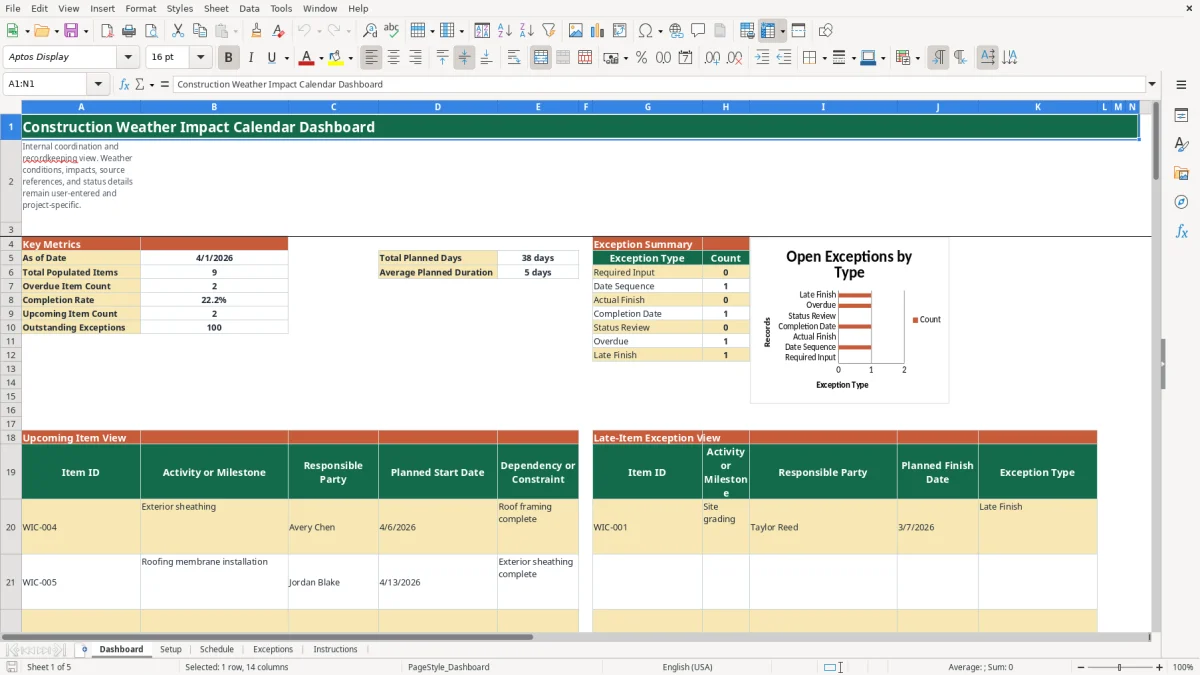
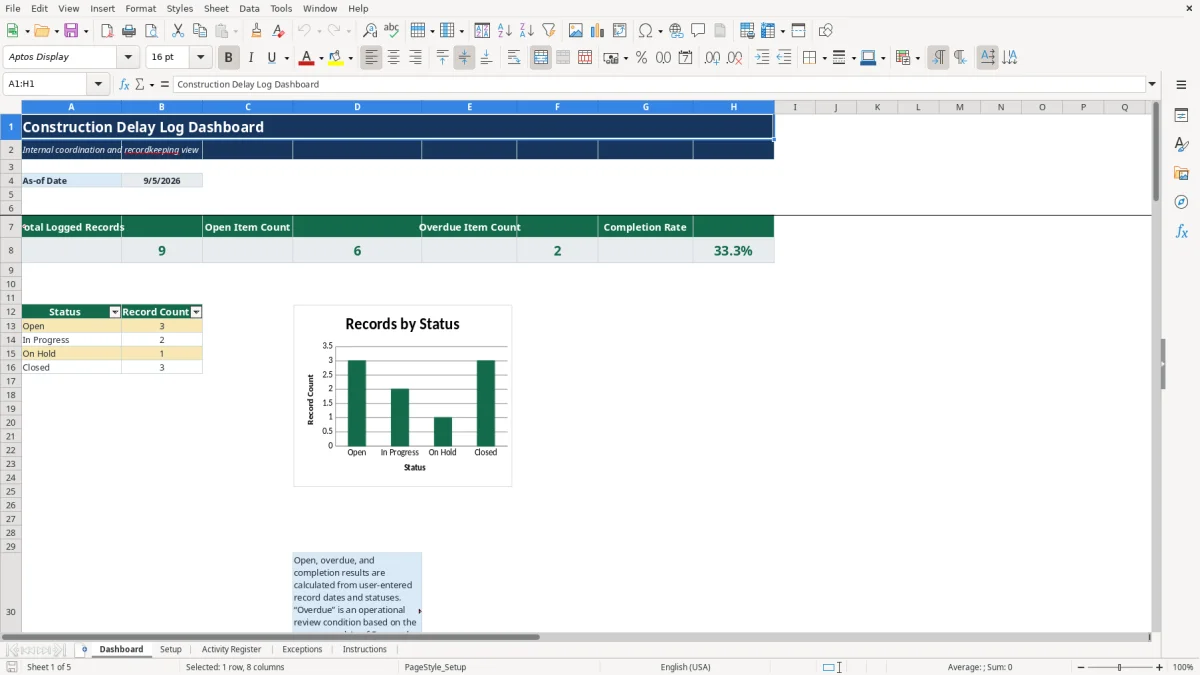
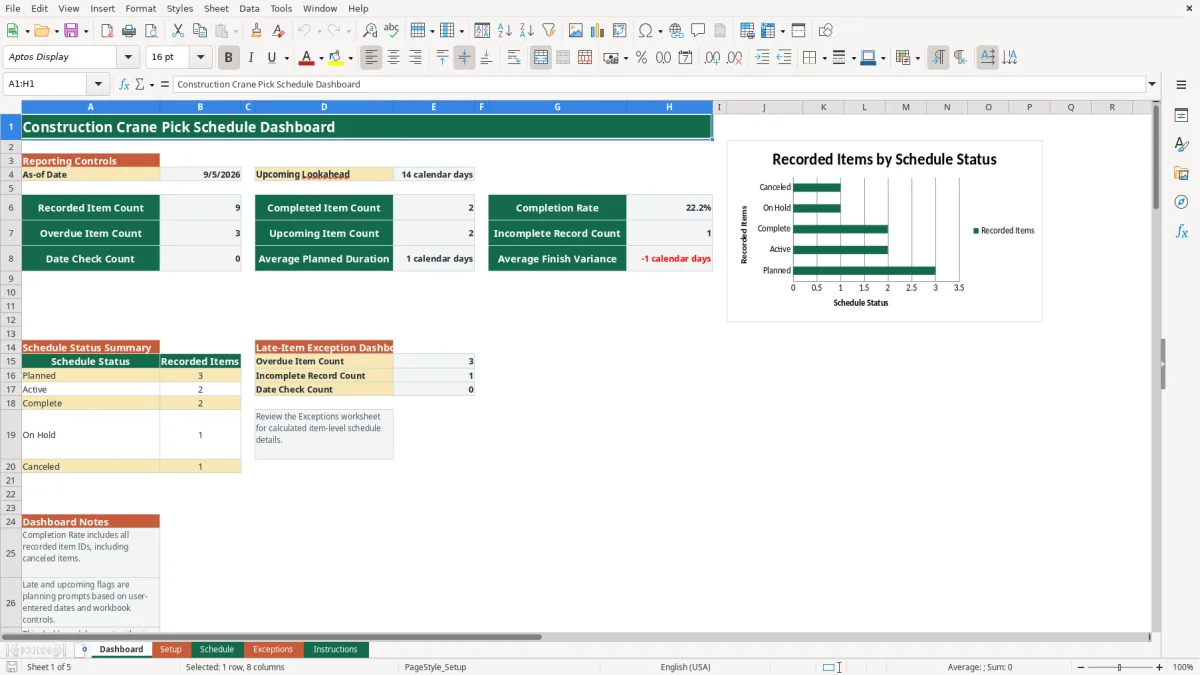
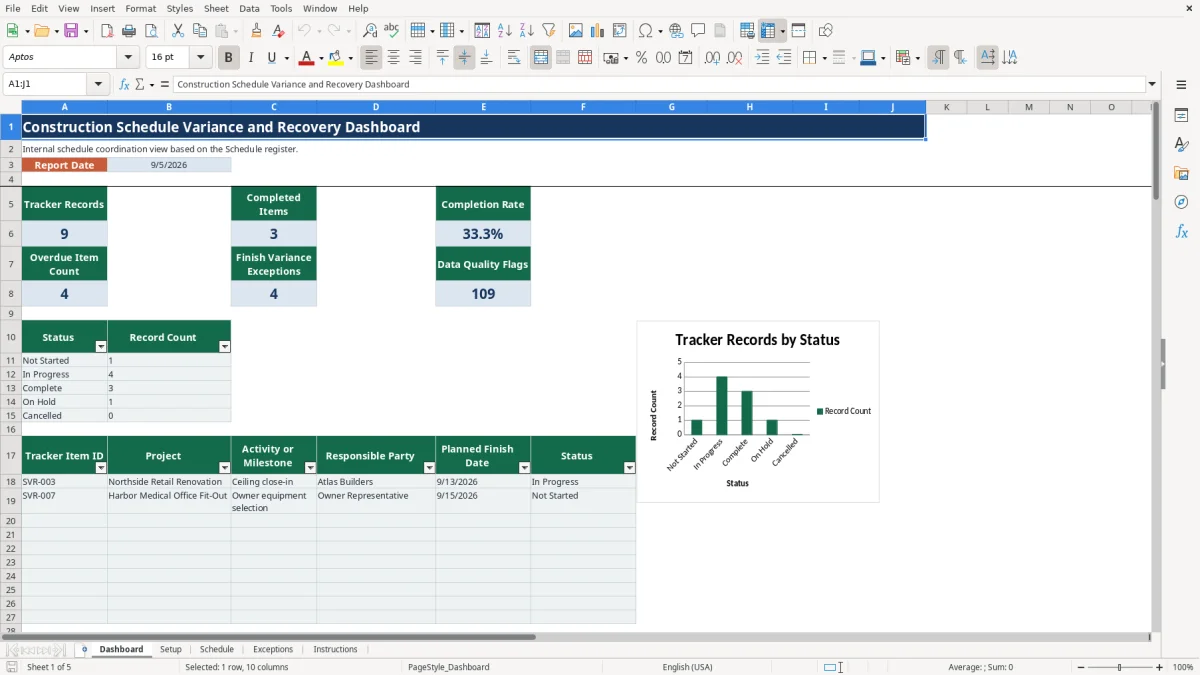
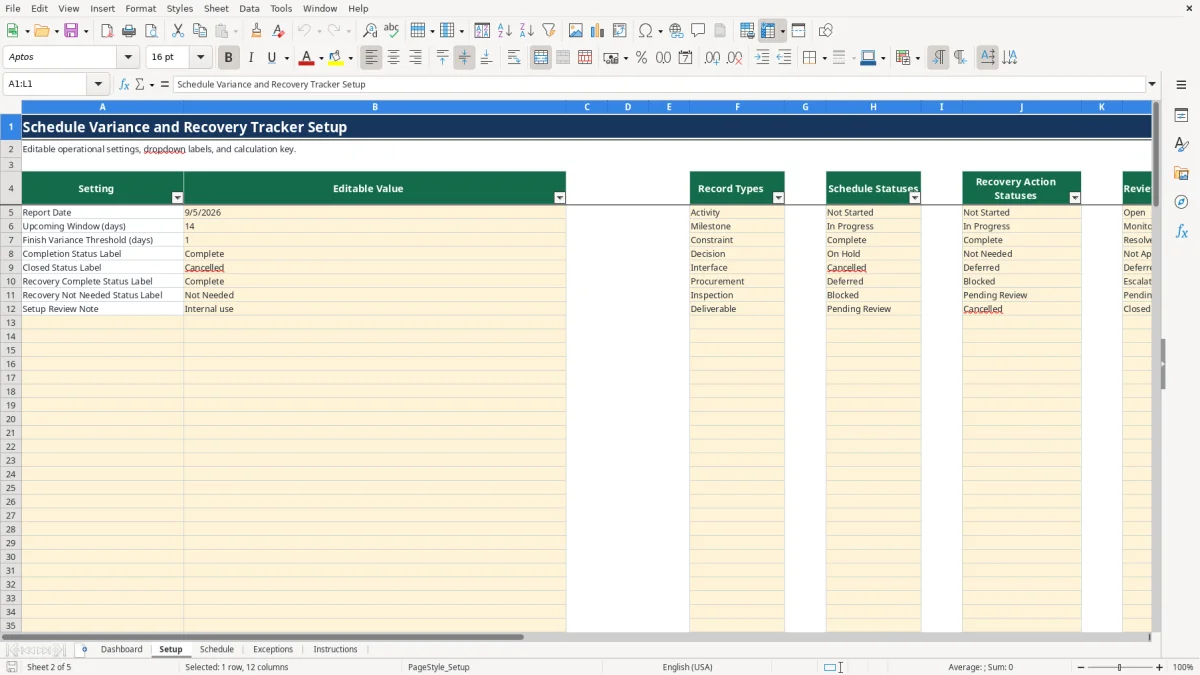
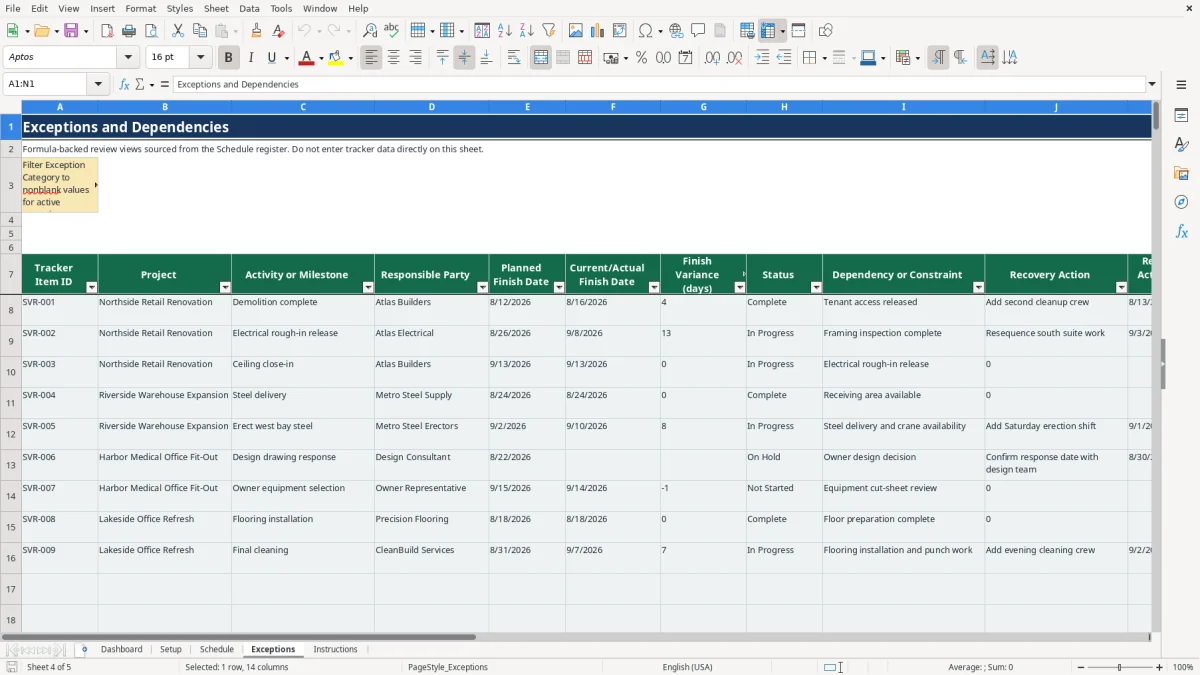
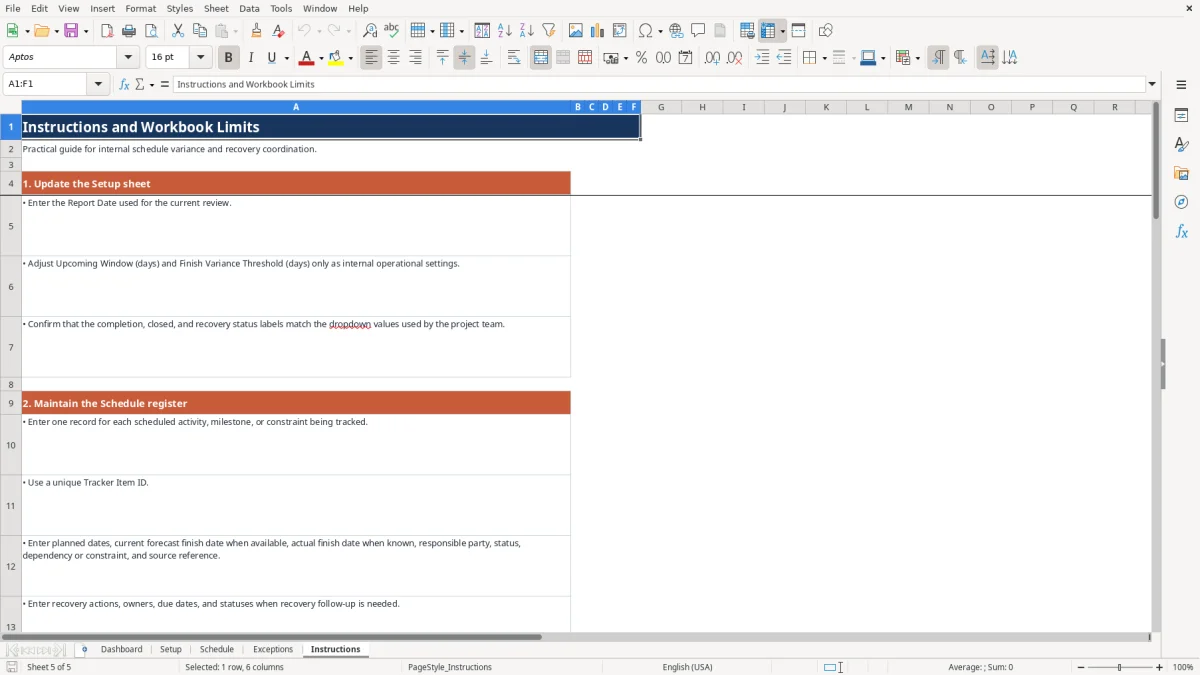
Final workbook preview
Four views generated from the verified XLSX.
How to use this workbook
Set the review basis
Start on Setup and enter the report date used for the current review. Set the upcoming window in days and the finish variance threshold in days as internal operating settings. Confirm the completion, closed, recovery-complete, and recovery-not-needed labels match the status terms your team will use. These settings are user-entered.
Maintain the Schedule register
On Schedule, create one unique Tracker Item ID for each activity, milestone, or constraint being tracked. Enter the project, record type, activity or milestone, responsible party, planned start date, planned finish date, current forecast finish date when available, actual finish date when known, dependency or constraint, status, and source reference. Add recovery action details, review notes, owner, date, and review status when follow-up is needed.
Review calculated conditions
The calculated columns return planned duration, finish variance, schedule condition, overdue-item flag, data-quality flag, and exception category. Finish variance uses the actual finish when entered. Otherwise, it uses the current forecast finish. Positive variance values indicate a finish later than the planned finish date; negative values indicate an earlier finish.
Use the review views
Use Dashboard for tracker-record counts, completed-item counts, completion rate, overdue-item count, finish-variance exceptions, data-quality flags, status counts, an upcoming view, and a short exception queue. Use Exceptions for the formula-backed exception review and dependency-and-constraint view. Do not enter tracker data directly on Exceptions.
Benefits
Keep planned finish dates, forecast or actual finishes, and accountable parties together.
See calculated finish variance in days without manually rebuilding comparisons.
Review overdue items, recovery follow-up, and missing core information in one workflow.
Retain source-reference entries alongside internal schedule coordination records.
Features
Five worksheets: Dashboard, Setup, Schedule, Exceptions, and Instructions.
Dropdown lists for record type, schedule status, recovery-action status, and review status.
Calculated planned duration, finish variance, overdue flag, data-quality flag, and exception category.
Dashboard status counts, a status chart, upcoming items, and exception-review views.
Construction schedule variance tracking in Excel
This workbook is designed around a schedule variance and recovery tracker record rather than a complete project task schedule. Each Schedule record can identify an activity, milestone, or constraint and connect it to a project, responsible party, planned dates, current forecast finish date, actual finish date, dependency or constraint, status, and source reference. That structure helps a project team keep current review information in one place without claiming to replace the project’s governing schedule.
Planned dates remain user inputs. The workbook does not establish dates, schedule logic, or responsibility. Users should enter and maintain the project-specific information they intend to review.
How the recovery tracker calculates variance
Planned Duration (days) is calculated as planned finish date minus planned start date. Finish Variance (days) compares actual finish date to planned finish date when an actual finish is recorded. If no actual finish is entered, it compares current forecast finish date to planned finish date. A positive result means the reported finish is later than the planned finish; a negative result means it is earlier.
The Schedule sheet also calculates schedule conditions for missing planned dates, recorded actual finishes, missing forecasts, finish variance above the configured threshold, and ahead-of-plan conditions. These outputs depend on complete, accurately entered records and the settings on Setup.
Exception and dependency review workflow
The Exceptions sheet provides formula-backed review records from the Schedule register, including item ID, project, activity or milestone, responsible party, planned finish, current or actual finish, finish variance, status, dependency or constraint, recovery action, recovery due date, source reference, exception category, and review status. A separate dependency-and-constraint view provides a compact list for coordination discussions.
The Dashboard includes an upcoming view and a short exception queue. For the broader review, use the Exceptions sheet and its table filters to focus on a project, responsible party, status, or exception category. Update the Schedule register first.
Frequently asked questions
What information do users enter in this workbook?
Users enter the tracker item ID, project, record type, activity or milestone, responsible party, planned start and finish dates, forecast finish when available, actual finish when known, dependency or constraint, status, recovery information, source reference, notes, and review details. The report date and internal thresholds are entered on Setup.
How does the workbook identify overdue items?
The overdue-item flag uses the user-entered report date, planned finish date, and the configured completion and closed status labels. An item can be flagged when its planned finish is before the report date and its status is not identified as complete or closed under those Setup settings.
Can I track recovery actions and ownership?
Yes. The Schedule register includes fields for recovery action, recovery action owner, recovery action due date, and recovery action status. The calculated exception category can identify an overdue recovery action based on the report date and the configured recovery-complete and recovery-not-needed labels.
Does this workbook perform delay analysis or approve a recovery plan?
No. This workbook is an internal coordination and recordkeeping aid. It does not perform forensic delay analysis, determine delay causes or responsibility, validate schedule logic, conduct critical-path analysis, authorize recovery actions, or make contractual decisions. Use qualified review before publication or use.
Workbook file
Ready to put this workbook to work?
Download the verified XLSX, keep an untouched copy, and adapt a working copy to your project.
Download verified XLSXEditorial team
About the authors

Paige Sutton Vale
Workbook Systems Editor
Paige turns construction planning, cost-control, field, and closeout workflows into clear Excel workbook guides. She focuses on inputs, calculations, outputs, and practical limits.

Maren Ellsworth Keel
Workbook QA Reviewer
Maren reviews formula behavior, field labels, project-controls terminology, and workbook instructions so each resource stays within its documented scope.
Continue exploring